How to load data from Harvest to Weaviate
Learn how to use Airbyte to synchronize your Harvest data into Weaviate within minutes.


































Building your pipeline or Using Airbyte
Airbyte is the only open source solution empowering data teams to meet all their growing custom business demands in the new AI era.
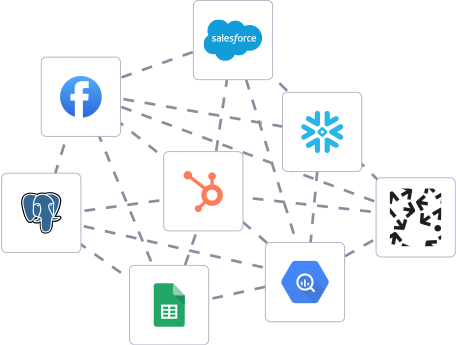
Building in-house pipelines
- Inconsistent and inaccurate data
- Laborious and expensive
- Brittle and inflexible
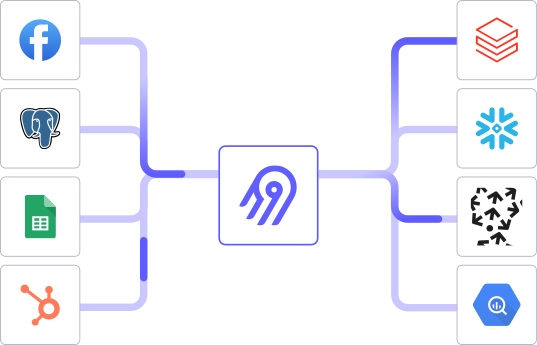
After Airbyte
- Reliable and accurate
- Extensible and scalable for all your needs
- Deployed and governed your way
Start syncing with Airbyte in 3 easy steps within 10 minutes


Take a virtual tour
Demo video of Airbyte Cloud
Demo video of AI Connector Builder
Setup Complexities simplified!

Simple & Easy to use Interface
Airbyte is built to get out of your way. Our clean, modern interface walks you through setup, so you can go from zero to sync in minutes—without deep technical expertise.

Guided Tour: Assisting you in building connections
Whether you’re setting up your first connection or managing complex syncs, Airbyte’s UI and documentation help you move with confidence. No guesswork. Just clarity.

Airbyte AI Assistant that will act as your sidekick in building your data pipelines in Minutes
Airbyte’s built-in assistant helps you choose sources, set destinations, and configure syncs quickly. It’s like having a data engineer on call—without the overhead.
What sets Airbyte Apart
Modern GenAI Workflows
Streamline AI workflows with Airbyte: load unstructured data into vector stores like Pinecone, Weaviate, and Milvus. Supports RAG transformations with LangChain chunking and embeddings from OpenAI, Cohere, etc., all in one operation.
Move Large Volumes, Fast
Quickly get up and running with a 5-minute setup that enables both incremental and full refreshes for databases of any size, seamlessly scaling to handle large data volumes. Our optimized architecture overcomes performance bottlenecks, ensuring efficient data synchronization even as your datasets grow from gigabytes to petabytes.
An Extensible Open-Source Standard
More than 1,000 developers contribute to Airbyte’s connectors, different interfaces (UI, API, Terraform Provider, Python Library), and integrations with the rest of the stack. Airbyte’s AI Connector Builder lets you edit or add new connectors in minutes.
Full Control & Security
Airbyte secures your data with cloud-hosted, self-hosted or hybrid deployment options. Single Sign-On (SSO) and Role-Based Access Control (RBAC) ensure only authorized users have access with the right permissions. Airbyte acts as a HIPAA conduit and supports compliance with CCPA, GDPR, and SOC2.
Fully Featured & Integrated
Airbyte automates schema evolution for seamless data flow, and utilizes efficient Change Data Capture (CDC) for real-time updates. Select only the columns you need, and leverage our dbt integration for powerful data transformations.
Enterprise Support with SLAs
Airbyte Self-Managed Enterprise comes with dedicated support and guaranteed service level agreements (SLAs), ensuring that your data movement infrastructure remains reliable and performant, and expert assistance is available when needed.
What our users say

Raman Singh

Predictable, straightforward pricing model that simplified budgeting and significantly reduced overall spend

Chase Zieman

“Airbyte helped us accelerate our progress by years, compared to our competitors. We don’t need to worry about connectors and focus on creating value for our users instead of building infrastructure. That’s priceless. The time and energy saved allows us to disrupt and grow faster.”

Rupak Patel

"With Airbyte, we could just push a few buttons, allow API access, and bring all the data into Google BigQuery. By blending all the different marketing data sources, we can gain valuable insights."
How to Sync to Manually
Step 1: Export Data from Harvest
Begin by logging into your Harvest account. Navigate to the section where your data is stored (e.g., timesheets, projects, expenses). Use the export feature to download the data as a CSV file. This is typically found under a "Reports" or "Export" tab. Save the CSV file to your local machine for processing.
Step 2: Prepare CSV Data for Weaviate
Open the exported CSV file using a spreadsheet application or a text editor. Examine the structure of the data to understand the fields and entries. Clean and format the data as necessary, ensuring it is ready for import into Weaviate. This may involve removing unnecessary columns, renaming headers to match your schema in Weaviate, and ensuring consistent data types.
Step 3: Set Up a Local Environment
On your local machine, set up a programming environment capable of interacting with both CSV files and the Weaviate API. Ensure you have Python installed along with libraries such as `pandas` for data handling and `requests` for API interactions. This setup will allow you to manipulate data and communicate with Weaviate.
Step 4: Define Weaviate Schema
Before importing data, define or review the schema in your Weaviate instance. This step involves setting up classes and properties that correspond to the data you're importing. Use Weaviate's schema API to create or update the schema as necessary. Ensure that it accommodates the structure of your Harvest data.
Step 5: Transform Data for Weaviate Import
Write a Python script to read the CSV file using `pandas`. Transform the data into JSON format suitable for Weaviate's data import requirements. This involves converting each row into a JSON object that matches the schema defined in Weaviate. Pay attention to data types and relationships between different data points.
Step 6: Authenticate and Connect to Weaviate
Using your Python script, establish a connection to your Weaviate instance. Authenticate using an API key or other credentials as required by your Weaviate setup. Ensure your connection is secure and that you have the necessary permissions to import data.
Step 7: Upload Data to Weaviate
With your connection established and data transformed, use the Weaviate RESTful API to upload the data. Iterate over the JSON objects created in the previous step, sending them to the appropriate endpoint in Weaviate. Handle any errors that arise during this process, and verify the data import by checking the Weaviate instance for accuracy and completeness.
By following these steps, you can move data from Harvest to Weaviate without the need for third-party connectors or integrations.