How to load data from Pendo to Weaviate
Learn how to use Airbyte to synchronize your Pendo data into Weaviate within minutes.


































Building your pipeline or Using Airbyte
Airbyte is the only open source solution empowering data teams to meet all their growing custom business demands in the new AI era.
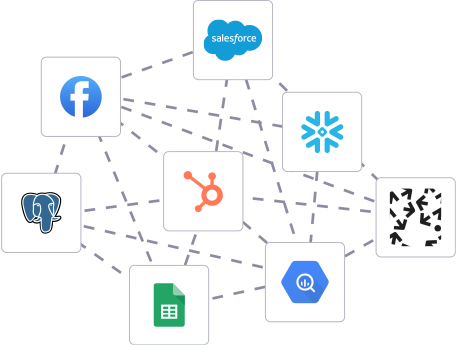
Building in-house pipelines
- Inconsistent and inaccurate data
- Laborious and expensive
- Brittle and inflexible
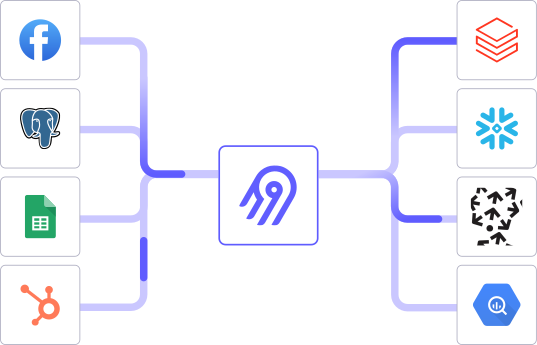
After Airbyte
- Reliable and accurate
- Extensible and scalable for all your needs
- Deployed and governed your way
Start syncing with Airbyte in 3 easy steps within 10 minutes


Take a virtual tour
Demo video of Airbyte Cloud
Demo video of AI Connector Builder
Setup Complexities simplified!

Simple & Easy to use Interface
Airbyte is built to get out of your way. Our clean, modern interface walks you through setup, so you can go from zero to sync in minutes—without deep technical expertise.

Guided Tour: Assisting you in building connections
Whether you’re setting up your first connection or managing complex syncs, Airbyte’s UI and documentation help you move with confidence. No guesswork. Just clarity.

Airbyte AI Assistant that will act as your sidekick in building your data pipelines in Minutes
Airbyte’s built-in assistant helps you choose sources, set destinations, and configure syncs quickly. It’s like having a data engineer on call—without the overhead.
What sets Airbyte Apart
Modern GenAI Workflows
Streamline AI workflows with Airbyte: load unstructured data into vector stores like Pinecone, Weaviate, and Milvus. Supports RAG transformations with LangChain chunking and embeddings from OpenAI, Cohere, etc., all in one operation.
Move Large Volumes, Fast
Quickly get up and running with a 5-minute setup that enables both incremental and full refreshes for databases of any size, seamlessly scaling to handle large data volumes. Our optimized architecture overcomes performance bottlenecks, ensuring efficient data synchronization even as your datasets grow from gigabytes to petabytes.
An Extensible Open-Source Standard
More than 1,000 developers contribute to Airbyte’s connectors, different interfaces (UI, API, Terraform Provider, Python Library), and integrations with the rest of the stack. Airbyte’s AI Connector Builder lets you edit or add new connectors in minutes.
Full Control & Security
Airbyte secures your data with cloud-hosted, self-hosted or hybrid deployment options. Single Sign-On (SSO) and Role-Based Access Control (RBAC) ensure only authorized users have access with the right permissions. Airbyte acts as a HIPAA conduit and supports compliance with CCPA, GDPR, and SOC2.
Fully Featured & Integrated
Airbyte automates schema evolution for seamless data flow, and utilizes efficient Change Data Capture (CDC) for real-time updates. Select only the columns you need, and leverage our dbt integration for powerful data transformations.
Enterprise Support with SLAs
Airbyte Self-Managed Enterprise comes with dedicated support and guaranteed service level agreements (SLAs), ensuring that your data movement infrastructure remains reliable and performant, and expert assistance is available when needed.
What our users say

Raman Singh

Predictable, straightforward pricing model that simplified budgeting and significantly reduced overall spend

Chase Zieman

“Airbyte helped us accelerate our progress by years, compared to our competitors. We don’t need to worry about connectors and focus on creating value for our users instead of building infrastructure. That’s priceless. The time and energy saved allows us to disrupt and grow faster.”

Rupak Patel

"With Airbyte, we could just push a few buttons, allow API access, and bring all the data into Google BigQuery. By blending all the different marketing data sources, we can gain valuable insights."
How to Sync to Manually
Step 1: Export Data from Pendo
Begin by accessing your Pendo dashboard and navigate to the data export section. Use the available tools to export the required datasets. Typically, Pendo allows exports in formats like CSV or JSON. Ensure you select the correct data scope, such as user data, click events, or feature usage statistics.
Step 2: Prepare the Data for Transfer
After exporting the data, review the files to ensure they are correctly formatted. Clean and preprocess the data to remove any unnecessary columns or rows. If the data is in CSV format, consider converting it to JSON if needed, as Weaviate accepts JSON input.
Step 3: Install Weaviate Locally or Access a Cloud Instance
Set up a Weaviate instance if you haven't already. You can either install Weaviate locally using Docker or access a cloud-based instance. Ensure that your instance is running and accessible via a RESTful API.
Step 4: Define the Schema in Weaviate
Before importing data, define the schema in Weaviate to match the structure of your Pendo data. Use the Weaviate schema API to create classes and properties that align with the data attributes from Pendo. This step ensures that the data is stored in a structured manner.
Step 5: Write a Script for Data Upload
Write a script in a programming language like Python to automate the data upload process. Utilize HTTP requests to interact with Weaviate's REST API. The script should read the data from your local files and use the API to insert each record into the Weaviate database.
Step 6: Upload Data to Weaviate
Execute the script to begin uploading the data to your Weaviate instance. Monitor the process for any errors or issues. Ensure that each piece of data corresponds to the correct schema class and properties defined in the previous step.
Step 7: Verify Data Integrity
Once the upload is complete, verify the integrity of the data in Weaviate. Use the Weaviate console or API to query the database and confirm that the records are correctly stored and accessible. Make any necessary adjustments to your schema or data if discrepancies are found.
By following these steps, you can successfully move data from Pendo to Weaviate without using third-party connectors or integrations.