I was recently at Ai4, a conference in Las Vegas focused on enterprise AI. More and more, we are seeing enterprise organizations adopt and scale AI usage. But deploying agents into production workflows remains out of reach for most of these businesses. It’s all about control. Businesses need a reliable way to manage agent permissions and access.
An agent with access to your Salesforce connector can see every contact, deal, and revenue figure. One that’s connected to your HR tool can read compensation data. This is a huge risk, especially at large organizations. It’s clear to us that entity level policies are table stakes for deploying production agents.
Today, we’re introducing entity and action policies in Airbyte's agentic platform, so your teams can deploy agents at scale without the security and risk headaches.
The three governance questions Governance for agents comes down to three questions:
What is the agent allowed to do? On whose authority? How can you validate it? Entity and action policies solve the first question. Admins can now assign read and write policies to every user, for every entity, in every connector, across every workspace.
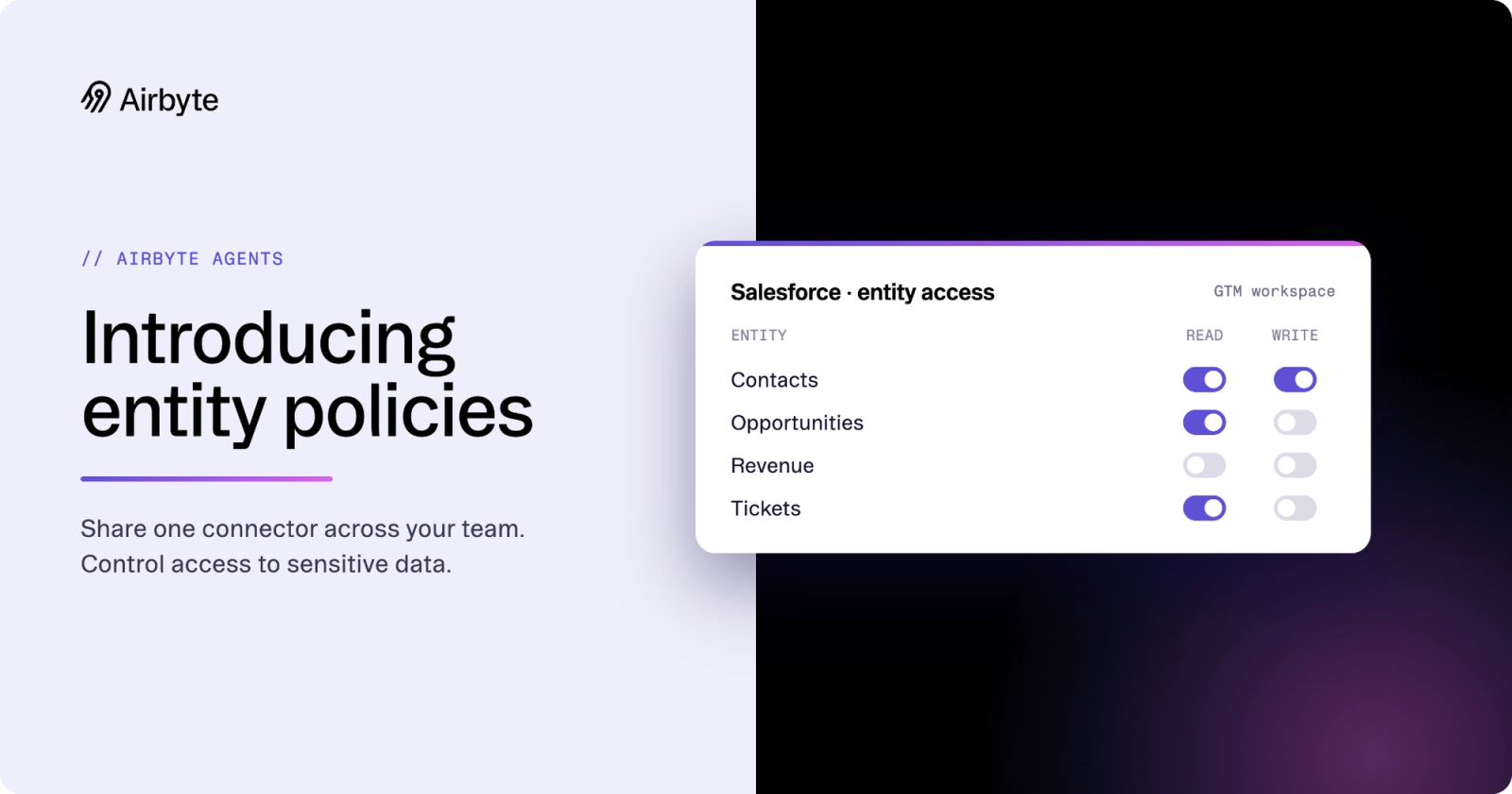
Policies are granular and apply per entity (contacts, deals, tickets, invoices) and per action (read, write), so you can share a single connector across your team while keeping sensitive entities restricted to the people who should see them.
How this applies within Workspaces Workspaces separate connectors and credentials: a token scoped to one workspace can't reach another. This is your first and most fundamental boundary. With entity permissioning, you can take it a step further with a second, more specialized boundary.
Here’s a scenario that can illustrate its effective usage. Let’s say your organization has a shared Salesforce connector enabled for the GTM team. Workspace isolation keeps engineering or support from viewing the data flowing through the connector, but in many cases, you might not want everyone who needs Salesforce access to have access to every entity. Or you might want to give some users read and write access to certain fields, based on their role.
Your revenue analytics lead should be able to edit sales data. An SDR should not. Those are the kind of narrow, specialized permissions that Airbyte’s new entity capabilities provide.
The two layers work together. Workspaces handle the broad divisions that separate different teams. Entity policies handle the details within those teams.
Why this matters now Agents are moving from prototypes to production. In a prototype, one developer connects their own credentials and tests against their own data. There's no governance problem because there's one user.
Production is different. Multiple people build agents against the same connectors. Some of those agents are customer-facing. Some handle sensitive financial or HR data. And increasingly, agents can write back to the systems they connect to: updating CRM records, creating tickets, posting messages.
Without entity-level controls, your options are bad: either give everyone full access and accept the risk, or create separate connectors with separate credentials for every team, which defeats the purpose of a shared data layer.
Entity and action policies give you the middle path. One connector, one set of credentials, fine-grained control over who sees what and who can write where.
What comes next Ready to manage entities?
Setting up entity access takes about a minute. In the Airbyte UI, open a connector, go to entity access, and assign read or write access per user for each entity the connector exposes.
Entity and action policies answer the first governance question: what is the agent allowed to do? The second and third questions, covering authority and validation, are on the roadmap.
This first phase gives you the access controls you need to move agents into production with confidence. The next phases will give you the accountability layer to operate them at scale.
Learn more about governance in Airbyte's agentic platform and how to set up entity access for your connectors.