Delta Sharing: How It Works and When to Use ELT Instead
This guide covers the open protocol behind delta sharing, its access flow, egress costs, security model and when an ELT pipeline fits.
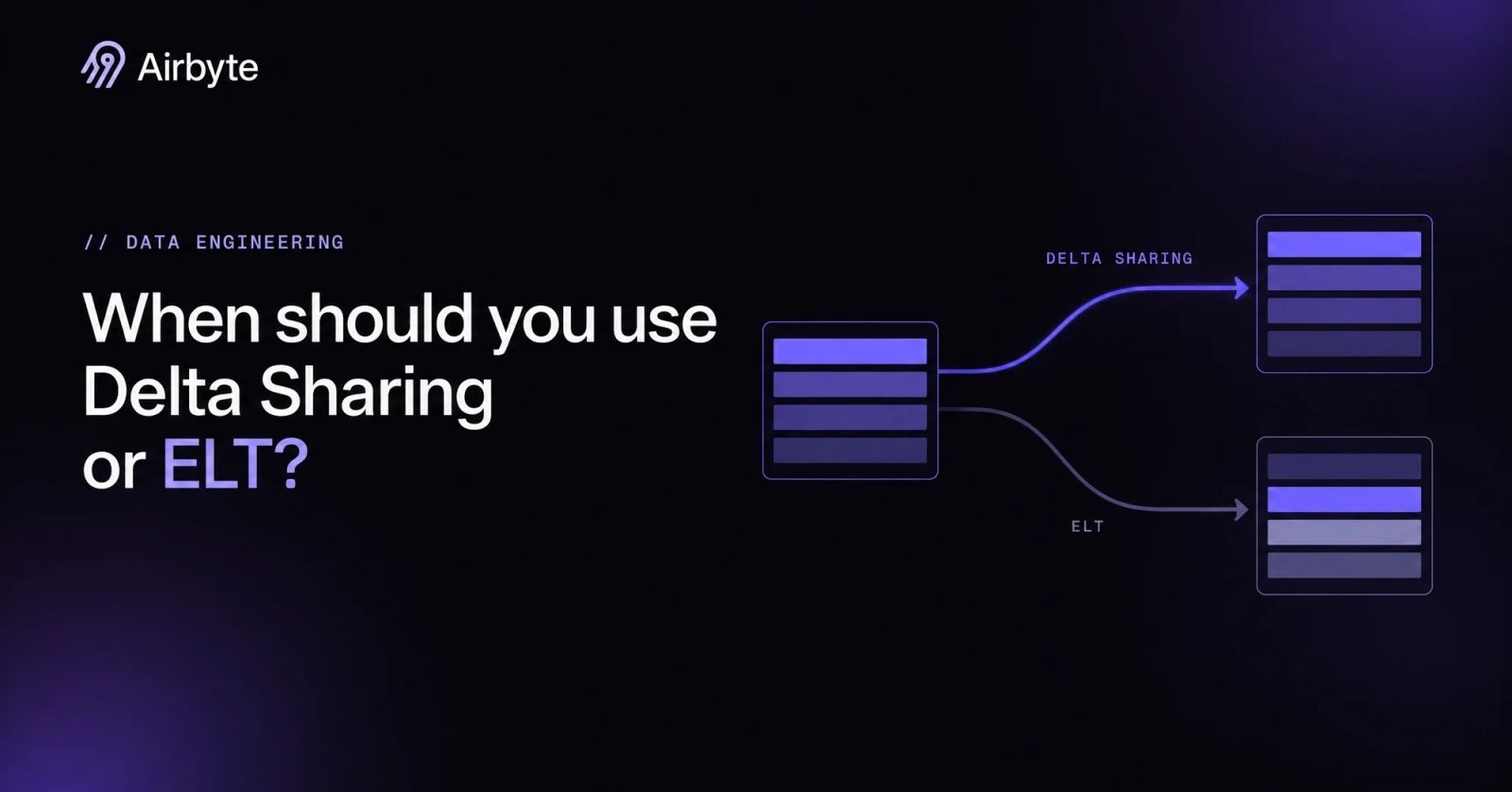
Delta Sharing is an open REST protocol that lets providers share live Delta Lake and Parquet tables from cloud storage with recipients on any platform without copying them. The sharing server checks the profile file’s bearer token, then returns short-lived presigned URLs to Parquet files the recipient’s engine reads from object storage such as S3, ADLS or GCS, so what the recipient reads is the provider’s files exactly as published.
Recipients get read-only files in the provider’s shape, join them with other data, and cross-region reads can add egress charges the cloud vendor bills to the provider. Once recipients need modeled, multi-source warehouse data, ELT is the better default, and you decide what to share or pipeline.
TL;DR
- Treat Delta Sharing as a read path for Delta Lake and Parquet files: recipients get the provider’s tables as written and cannot write back.
- Budget for egress charges the cloud vendor can bill the provider when recipients read across regions or clouds, and expect recipients to run and pay for their own query engine.
- Choose an ELT pipeline when consumers need data from many sources, non-Delta formats, or modeled tables that live in their own warehouse.
- Keep Delta Sharing for read-only consumers of Delta-native data in the same region, where reads cost no egress and need no copy job.
- Run both when a lakehouse ingests through ELT and publishes curated tables onward through shares.
Learn more about Hybrid Deployment
What Is Delta Sharing?
Delta Sharing is an open REST protocol that lets a data provider grant outside recipients read access to live Delta Lake and Parquet tables without copying them into the recipient’s platform. Databricks built Delta Sharing in 2021 as a sub-project of the open-source Delta Lake project.
In June 2026 the Linux Foundation launched the OpenSharing Project, a Databricks contribution that evolves the Delta Sharing protocol and adds Iceberg REST catalog clients as recipients. The REST APIs and message formats standardize how clients find and fetch table files; file contents and reshaping logic remain outside that scope, so shaping the data stays work for the provider before sharing or for the recipient after the fetch.
The protocol organizes tables into four kinds of object: a share is a logical grouping of tables offered to recipients, a schema groups tables inside a share, a table is a Delta Lake table or a view on top of one, and a recipient is any principal holding a bearer token for the sharing server. The protocol specification defines this discovery and access flow:
- The recipient receives a profile file, a JSON document with
shareCredentialsVersion,endpoint(the sharing server URL),bearerToken, and an optionalexpirationTimein ISO 8601 format. - The client sends
Authorization: Bearer {token}on every call and walks the catalog withGET {prefix}/shares, then/shares/{share}/schemas, then/shares/{share}/schemas/{schema}/tables. - The client sends a POST to the table’s
/queryendpoint, optionally with predicate and limit hints, and the server answers with newline-delimited JSON: a Protocol line, a Metadata line, then one line per data file. - Under URL-based access, each file line carries a short-lived presigned URL; under directory-based access, the server instead issues temporary cloud credentials scoped to the table’s root directory.
- The client fetches Parquet directly from S3, ADLS, GCS or R2 and performs decoding and any remaining filtering with its own engine.
A profile file carries only those four fields:
{
  "shareCredentialsVersion": 1,
  "endpoint": "<sharing-server-url>",
  "bearerToken": "<token>",
  "expirationTime": "2021-11-12T00:12:29.0Z"
}A Delta table is a set of Parquet data files plus a transaction log recording which files make up each table version, so the server can answer with exactly the files of one consistent version instead of whatever Parquet happens to sit in the bucket. Reading that consistent version still requires suitable client compute: the Python connector exposes `delta_sharing.load_as_pandas(...)` for single-machine reads and `delta_sharing.load_as_spark(...)` for distributed ones. Your client choice therefore determines which workloads a share can serve.Both functions take the same table path, which joins the profile file path, a #, and the fully qualified share.schema.table name:
import delta_sharing

table_url = "config.share#<share>.<schema>.<table>"

pdf = delta_sharing.load_as_pandas(table_url)   # single machine
sdf = delta_sharing.load_as_spark(table_url)    # distributed, needs the Spark connector
A share scales only as far as the recipient’s client. The protocol handles terabyte-scale datasets because files come straight from cloud storage, but only the Spark path distributes the read. pandas and BI tools such as Power BI and Microsoft Fabric load into one machine’s memory, and their connectors apply a row limit to what they import. Some BI connectors are also deprecated for security reasons. Large tables therefore need the Spark path, and in Python load_as_pandas accepts limit=10 to sample oversized tables.
When reads hit RESOURCE_LIMIT_EXCEEDED, the documented fix is for the provider to run OPTIMIZE and VACUUM, compacting small files and removing stale RemoveFile entries from the Delta log. Recipients cannot do that, so large-table read performance depends partly on provider file maintenance, and they still provision compute without a copy job. Before promising a share for large analytical workloads, confirm which client the recipient will use and who maintains the provider’s file layout.
What Is an ELT Pipeline?
An ELT pipeline extracts records from source systems, loads them into a destination warehouse or lake largely as they arrived, and reshapes them there with SQL on the destination’s own compute. The only structural difference from ETL is where the reshaping runs: inside the target store instead of in a separate engine before loading. That placement is why ELT fits teams whose warehouse is already the place analysts work. An ELT pipeline is a system of parts, each owning a decision Delta Sharing leaves to the provider:
- Connectors: Each source, whether a Postgres database, a SaaS API or a file drop, gets a connector that knows its authentication, pagination and data types.
- Incremental sync: After the first full load, the pipeline reads only records created or changed since the last run, tracked by a cursor such as an updated-at column.
- Change data capture: For databases, CDC reads the transaction log and captures inserts, updates and deletes.
- Scheduling: Syncs run on fixed intervals, cron expressions or manual triggers, so freshness becomes a setting you choose per source.
- In-warehouse modeling: dbt models or scheduled SQL join raw tables into the shapes downstream consumers query, often as incremental models that process only new rows.
The parts interact in one direction. The connector and sync mode determine which rows arrive, the schedule determines how stale they can get, and the models determine what consumers see. Your team owns the copy and its correctness, along with the consumer-side data shape and freshness. Budget for that operational work before comparing the apparent simplicity of a shared read path.
How Do Delta Sharing and ELT Pipelines Compare?
The two approaches split along these dimensions:
The lighter read path pays off only when the provider’s tables already have the shape and location the recipient needs; cross-region queries put that assumption on the bill.
Who Pays for Compute and Egress With Delta Sharing and ELT Pipelines?
The provider can pay for data leaving its storage, and that bill grows with every recipient query that crosses a region or cloud. Within a single region, sharing incurs no egress cost, but your cloud vendor can charge egress when recipients read across clouds or regions, and if the provider turns on SecureConnect, Databricks bills the transfer instead of the cloud vendor. Because recipients fetch files rather than results, a dashboard that rescans a table daily, assuming full scans with no local caching, pulls the full file set across the boundary each time.
Compute splits less cleanly. Under the open sharing protocol, filtering happens on the provider’s side and the provider pays that cost, while for Databricks-to-Databricks sharing of foreign tables the recipient pays the filtering compute. Sharing views, materialized views or streaming tables triggers provider-side materialization, which accumulates compute cost on the provider’s account. Everything after the fetch, from decoding Parquet to running joins, burns the recipient’s own pandas, Spark or BI capacity.
Current list rates for transfer out of the three major object stores in North America look like this:
Internet reads face S3’s tiered US East rates of $0.09 per GB for the first 10 TB, $0.085 for the next 40 TB and $0.07 for the next 100 TB, so calculate costs for the actual route and volume before choosing a read path. A CDC pipeline moves changed rows into the recipient’s region, where repeated queries can use the local copy.
The ELT side has its own bill: pipeline workers, warehouse load compute and storage for the copy. Vendors also price on volume metrics such as Monthly Active Rows. You can reduce egress by replicating shared tables into recipient regions with DEEP CLONE, merging a shared change data feed into a local copy so recipient queries stay in-region, or moving shared data to Cloudflare R2, which charges no egress fees, though view sharing can still incur egress.
The replication options come down to a deep clone that a scheduled job reruns, then a deep clone into an R2-backed catalog before sharing:
-- scheduled incremental refresh of a regional replica
CREATE OR REPLACE TABLE table_name DEEP CLONE source_table_name;

-- clone into an R2-backed catalog before sharing
CREATE TABLE IF NOT EXISTS new_catalog.schema1.new_table
  DEEP CLONE old_catalog.schema1.source_table
  LOCATION 'r2://mybucket@my-account-id.r2.cloudflarestorage.com';
R2 support needs a recent Databricks Runtime version or a SQL warehouse.
How Do Delta Sharing and ELT Pipelines Handle Transformation and Schema Control?
Recipients must reshape data outside the shared table, because writing to a shared table is not supported and the protocol serves files. A provider can pre-shape data with shared views, but those views can be defined only on Delta tables, foreign tables or other shareable views, support only a subset of built-in functions, and materialize on provider compute. Any join between shared data and the recipient’s CRM, billing system or event stream happens in the recipient’s engine on every query, or in a pipeline the recipient builds anyway.
Table features also gate who can read at all. Sharing tables with deletion vectors or column mapping is now generally available, but recipients need responseFormat=delta-capable clients such as recent delta-sharing-spark versions, and a table with type widening turned on cannot be shared to non-Databricks consumers at all. A provider that turns on a newer table feature can lock out older recipient clients without changing a single row.
A recipient streaming the change feed of such a table sets the Delta response format explicitly, as in this example:
(spark.readStream.format("deltaSharing")
    .option("responseFormat", "delta")
    .option("readChangeFeed", "true")
    .option("startingVersion", 0)
    .load(table_url))
Provider-side schema changes reach recipients with no buffer in between. These changes affect partition filters, change feed reads and catalog metadata:
- Partition column renames: Renaming a column used for partition filtering on a shared table fails outright; the provider must remove the table from the share, rename, and share again, which can break recipient streaming queries.
- Change feed reads: The Python connector fails change data feed queries with
use_delta_format=Truewhen the schema changed during the queried version range. - Catalog metadata: Recipient
information_schemarefreshes from the provider only when someone queries the shared table directly or runs a command such as DESCRIBE, so it can lag the provider’s actual schema.
An ELT pipeline puts a decision point between source drift and consumers. Schema change detection flags new, dropped or retyped columns; you configure propagation, select which fields reach the destination, and use dbt models to absorb renames before dashboards see them. That control has a price: a copy that can drift from its source, sync failures to investigate, and models to maintain. For a recipient whose consumers break on unannounced schema changes, the price is worth paying, and the same buffer is where governance controls attach.
How Do Delta Sharing and ELT Pipelines Secure and Govern Shared Data?
Delta Sharing security rests on who holds a bearer token and on how far the provider’s controls reach past the presigned URL. The open-source reference server and Databricks-managed sharing differ sharply on both:
The reference server is incomplete as a secure web server, so run it behind a proxy such as NGINX for JWT authentication and own rotation, revocation and logging in production. On the Databricks side, the one-year cap came with a hard deadline: older open sharing tokens with no expiry or a later one expire automatically, so long-lived integrations need rotation work before they do. OIDC federation, now generally available, replaces the shared secret by exchanging the recipient identity provider’s JWTs for short-lived OAuth tokens.
Network controls stop at the endpoint unless the provider pays for more. Without SecureConnect, IP access lists restrict only endpoint access and the presigned storage URLs stay reachable from any client IP, so a URL copied out of a log works anywhere until it expires. Audit coverage has a similar edge: provider-side events such as deltaSharingQueriedTable and generateTemporaryTableCredential record each share access, but nothing records what happens after the Parquet lands in a recipient’s pandas session.
Fine-grained access control works backwards from what many providers expect. Because tables carrying row filters or column masks cannot be shared, a provider has to strip sensitive columns into a separate table or publish a dynamic view keyed on recipient properties, and the view brings its materialization cost with it. Databricks recipients can now apply their own filters and masks to shared tables, which protects the recipient’s users and does nothing for the provider.
An ELT pipeline applies controls before the data crosses into the destination. Field hashing and encryption mask sensitive values at load time, column selection, which Airbyte offers, keeps restricted fields out entirely, and RBAC plus audit logging govern who configures each connection. The destination warehouse’s own access controls then govern every consumer, including ones that never touch a sharing client, which matters most when the consumers are many and their tools are mixed.
When Should You Use Delta Sharing or an ELT Pipeline?
Use Delta Sharing when the data already lives as Delta tables, the consumers only read, and they sit in the same region as the provider’s storage. A partner who needs today’s version of a curated table, queried from Spark or Databricks, gets live data with no copy to reconcile and no egress bill, and the provider keeps one source of truth.
Choose an ELT pipeline once any of four conditions holds. The consumer needs data from several sources joined together; the sources are databases, APIs or SaaS apps that do not write Delta; the consumer works in a warehouse such as Snowflake or BigQuery and expects modeled tables there; or the reads cross regions or clouds often enough that per-query egress outgrows the cost of syncing changes once. Masking requirements push the same way, because a pipeline can hash or drop fields before they reach the recipient, while a share can only exclude whole tables or route through dynamic views.
A lakehouse team can run both, in sequence. ELT pipelines land operational and SaaS data into the lakehouse, dbt models shape it into curated Delta tables, and Delta Sharing publishes those tables to partners and business units that read in place. Cross-region recipients can add a third step by merging the shared change data feed into a local copy. The real choice is which data enters the lakehouse through pipelines and which leaves it through shares, and the inbound side is where connector coverage decides how much you build by hand.
How Does Airbyte Help With Data Movement Beyond Delta Sharing?
Airbyte handles the inbound side: getting data out of systems that do not write Delta tables. Its 700+ connectors sit in one open-source catalog across every deployment model, so you can inspect and fork the code that touches your sources. Supported database connectors use CDC to replicate changes without locking production tables; schema change detection propagates new or altered columns, and column selection controls what lands. Destinations include Databricks and Iceberg alongside Snowflake, BigQuery and Redshift, so the same sources can feed the lakehouse that publishes shares and the warehouse a recipient already queries.
Deployment follows your constraints. Airbyte Cloud is fully managed, Airbyte Core (open source) is free to self-host, and with Airbyte Flex, a hybrid deployment, Airbyte operates the control plane while the data plane, along with your records, credentials, keys and compute, runs in your environment, though some metadata such as cursor and primary-key values sits in the control plane. The same governed, replicated tables that feed analytics can feed AI applications, including AI clients over MCP, under the same access controls. You still decide sync frequency and how downstream models react to schema changes.
Is Delta Sharing Enough to Replace Your Data Pipelines?
Audit each pipeline by the recipient obligation it serves before retiring it. Keep an explicit owner for joins, masking, schema drift and warehouse delivery, and retire copy-only jobs for same-region curated tables only after that owner accepts the shared read path. Make cross-region egress part of that acceptance decision.
Airbyte covers the pipelines that stay. When a source falls outside the catalog, Connector Builder and the Python and low-code YAML CDKs let you build one under the same Airbyte Protocol contract, and the Airbyte API, Terraform provider and PyAirbyte keep connections in version control. Orchestrators such as Airflow, Dagster and Prefect can trigger syncs, and the dbt integration runs post-sync models so the tables you later publish through a share arrive already shaped.
Get a demo to see how Airbyte moves data into the platforms your recipients already use.
Frequently Asked Questions
Can I use Delta Sharing without a Databricks account?
Yes, in principle. A provider can run the open-source reference server from a delta-io release package or Docker image and point it at Delta tables in its own object storage, and recipients read with the open Python or Spark connectors; other vendors implement parts of the protocol too, with some platforms able to act as a provider and others able to read shares through a catalog integration that connects to any compliant server.
How do I host my own Delta Sharing server?
You run the delta-io reference server and describe your shares in one YAML config file. Download delta-sharing-server-x.y.z.zip from the delta-io/delta-sharing GitHub releases, copy conf/delta-sharing-server.yaml.template, add references to your Delta Lake tables, and start the server with bin/delta-sharing-server -- --config pointing at the file. Alternatively, run the deltaio/delta-sharing-server Docker image with the YAML file mounted. The same file holds the authorization bearerToken and settings such as preSignedUrlTimeoutSeconds. Recipients then need a profile file carrying your server’s endpoint and token.
Does Delta Sharing work with Apache Iceberg tables?
Databricks-managed sharing can serve Delta tables, managed Iceberg tables and foreign Iceberg tables to external Iceberg clients through the Iceberg REST Catalog API. A shared Delta table needs Iceberg metadata generation turned on, and the shared Iceberg metadata does not refresh automatically, so recipients rely on auto-refresh or manual refreshes to see new snapshots.
Does Delta Sharing support streaming or change data feed reads?
Yes, provided the provider shares the table with history and turns on change data feed on the source table. Recipients can then use the shared table as a Spark Structured Streaming source or query its change feed, and tables with deletion vectors or column mapping need the Delta response format for those reads. Recipients using bearer tokens can only read the current snapshot of a shared streaming table, so providers who need open recipients to consume changes should share a regular Delta table with its change feed.
How fresh is the data a Delta Sharing recipient sees?
Freshness depends on how often the provider commits new table versions, since recipients read the provider’s committed files rather than a scheduled copy. Clients that cache data can call the table version endpoint cheaply to check whether their cache is stale before refetching. Time travel to earlier versions works only on tables shared with history, and VACUUM on the provider side removes versions older than the retention period.
Can Delta Sharing and an ELT pipeline feed the same lakehouse?
Yes, and the combination is common. An ELT pipeline that writes Delta tables into a Unity Catalog-governed lakehouse produces tables the provider can add to a share like any other, so ingestion and distribution use one copy.

Integrate with 700+ apps using Airbyte
Move data from 700+ sources into warehouses, lakes, and beyond. Set up pipelines in minutes with pre-built connectors and the Connector Builder.