Fivetran HVR Alternative: Replacing On-Prem Replication With a Hybrid Data Plane
Scope for moving off Fivetran HVR 5 before end of life: HVR 6 upgrade work, per-host agent costs, and an outbound-only hybrid data plane option.
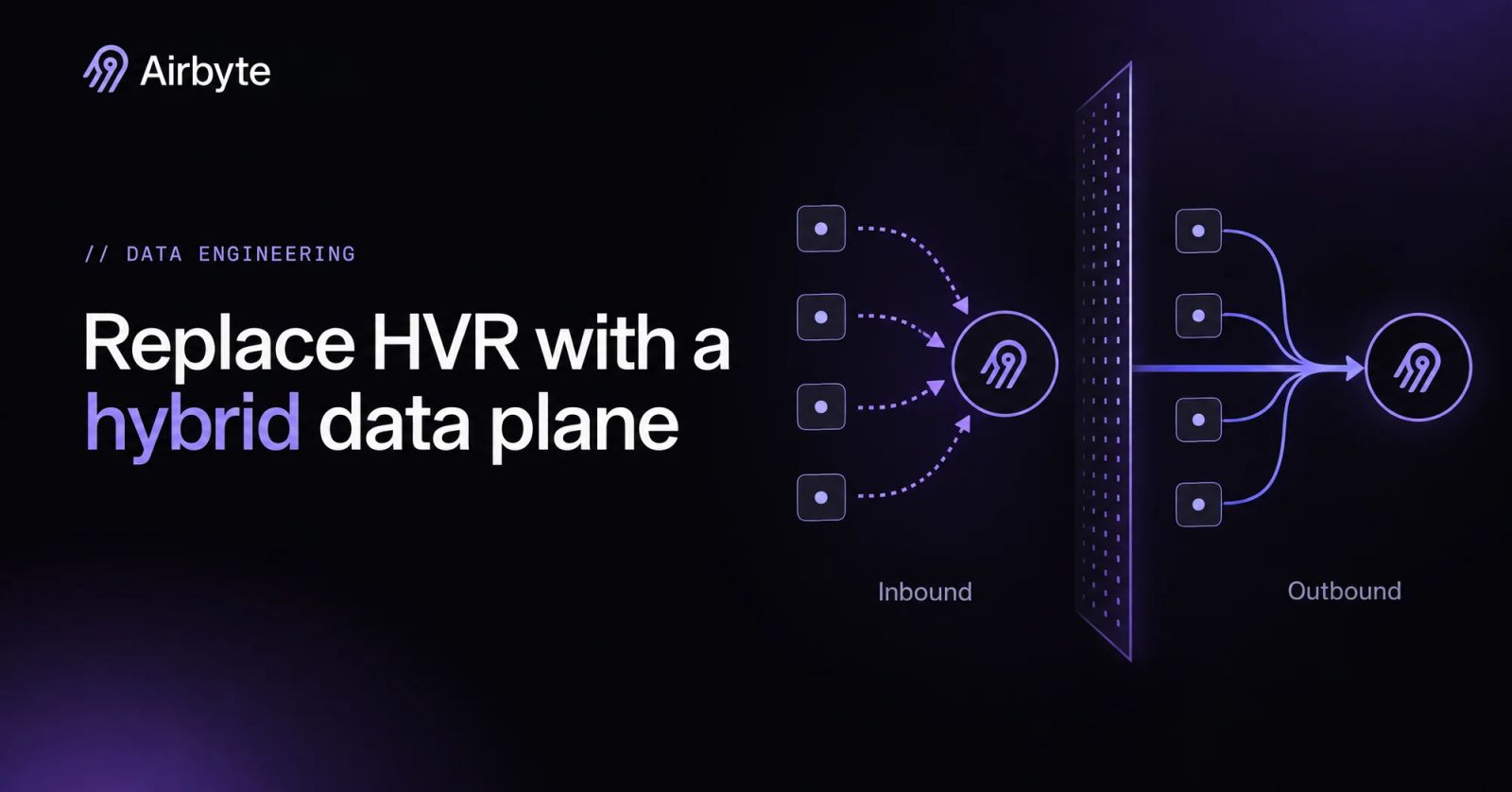
Most teams running Fivetran HVR treat staying put as the low-risk choice, because the replication works and nobody wants to touch hundreds of database hosts. That choice now has an expiry date. HVR 5 reaches end of life on 31 December 2026, and moving to HVR 6 means installing a new hub and a new agent on every existing agent machine. If you have to revisit every database host anyway, the upgrade window is the cheapest moment to question the agent model itself. An outbound-only hybrid data plane takes the inbound listener off each database host, and making that change now costs less than repeating the agent work later.
Summary
- Plan around HVR 5 end of life on 31 December 2026. Extended support for HVR 5.7 already ended on 31 December 2025.
- Upgrade the hub and every agent machine together, because HVR 6 cannot work with HVR 5.x or 4.x components.
- Budget to reinstall the HVR agent on every source and target host that currently runs one, in a new directory and on a new listening port.
- Count how many databases accept inbound hub connections today. Each one is a firewall rule your security team owns.
- Price out an outbound-only hybrid data plane before you rebuild on HVR 6, since the per-host effort lands either way.
What Is Fivetran HVR Today?
Fivetran HVR is self-hosted, log-based CDC software for replicating enterprise databases. Fivetran completed its HVR acquisition on October 1, 2021, and positioned it as replication for ERP systems and Oracle databases. HVR and Local Data Processing identify the same hub-and-agent software. On the HVR 6 line, 6.1 is out of support and 6.2 and 6.3 remain on regular support, so select a supported release before planning the host upgrades.
Coverage is the case for staying: HVR 6.3.5 lists log-based capture for Oracle 11.1 to 23.0, SQL Server 2012 to 2025, PostgreSQL 9.6 to 18 and SAP HANA 2.0 SPS 00 to SPS 08, with Snowflake among its bulk-load targets. What teams buy along with that coverage is a product separate from Fivetran’s managed connectors: software your team installs, patches and networks on hosts you own.
How Does Fivetran HVR Replicate Data Between Databases?
HVR divides the work between a central hub that decides what runs and agents on database machines that read transaction logs. A set of jobs moves and checks the data between them.
The HVR Hub Controls Channels, Locations and the Repository
The HVR Hub System is an HVR installation on a Linux or Windows server that orchestrates replication in units called channels. Its repository database stores the replication definitions: which databases replicate, in which direction, and which tables; one repository can hold several hubs, each with its own scheduler. A channel connects a source location group to a target location group, and a location is a database or file store HVR captures from or integrates into. Every other HVR component takes its instructions from this server, so the hub has to be able to reach every location it manages.
HVR Agents Read Transaction Logs on Each Database Machine
Direct log capture ties processing to the database host: Direct Redo Access reads Oracle redo and archive files with file I/O and requires the HVR Agent on the source machine. The agent runs as the Oracle OS user, as a member of the oinstall or dba group, or with ACLs on the log files. SQL Server’s direct transaction log method has the same placement rule. Agentless options exist, such as SQL Access, but remote capture is less efficient and heavier on the source, so removing a host installation changes the capture tradeoff.
Each agent listens on a TCP port, and the hub connects to the agent on that port. The HVR 5 upgrade guide gives 4343 for an HVR 5 agent and 4340 for its HVR 6 replacement as example ports, so every agent host has to keep an inbound port open for the hub.
Capture, Integrate, Refresh and Compare Move and Validate the Data
Capture reads source logs, compresses the changes and sends them to the hub; Integrate applies those changes to targets. Refresh performs initial loads, and HVR suspends Integrate while a Refresh runs, so initial loading and applying changes require coordination. Compare checks that source and target agree in one of two modes: bulk mode computes a checksum on each side and sends only the checksum across the network, while row-by-row mode ships rows to the hub and writes an INSERT, UPDATE or DELETE for every difference it finds, so the mode you choose decides whether checksums or whole rows cross the network.
Captured changes pass through the hub’s router files before Integrate writes them out to the targets. For Oracle CDC pipelines on Direct Redo Access, every Oracle server you capture from carries an HVR process and a firewall rule that lets the hub in, so the number of firewall rules grows with the number of Oracle servers you capture from.
What Does the HVR 5 End of Life Mean for On-Prem Teams?
HVR 5.7 reaches end of life on December 31, 2026, and its extended support ended on December 31, 2025. Fivetran offers Transitional Extended support only to specific customers migrating to HVR 6 before January 1, 2027. The tier provides best-effort answers and workarounds, with no bug fixes, patches or SLAs; plan the migration without relying on a new patch.
The upgrade amounts to a rebuild because HVR 6 is not compatible with HVR 5.x or 4.x, and both hub and agent machines must run 6.x. The documented path creates a new empty repository database and installs HVR 6 in a separate directory; channels are converted with hvrconvert5to6 and activated with hvractivate. An HVR 6 agent goes onto every HVR 5 agent machine on a different port, so budget one hub installation plus one agent installation per database host. HVR 6 support for Oracle 11.x, 12.1 and 12.2 also ends on December 31, 2026, so some sources may need a database upgrade before they can move at all.
HVR 6 consumption-based licensing on the Business Critical plan changes the operating model as well. The hub registers with a Fivetran account and receives a seven-day license that renews daily; HVR uploads MAR data hourly, and if the registration is deleted, the license lapses after seven days. Teams that bought HVR as self-contained software now take on an outbound dependency on a vendor service. Should the inbound connections to every database survive the upgrade too?
What Breaks When the HVR Agent Model Spans Hundreds of Databases?
If your team replicates from roughly 1,000 databases, the per-host cost grows with the estate, and each upgrade turns every agent host into another small infrastructure project. Each one needs an agent under an OS user that can read redo or .ldf files, a listening port, a firewall route that lets the hub connect in, and a security review justifying an inbound path to a production database. The HVR 6 upgrade repeats most of that work: a new directory, a new port, a location update on the hub, and a stop of the old listener. Fivetran’s channel migration guidance calls for scheduled downtime because agent listener services must stop.
Beyond per-host labor, spend follows change volume rather than host count. For HVR, MAR counts distinct primary keys replicated from source to target each month, and Fivetran counts them again for each destination. Table refreshes outside a five-day troubleshooting window count toward paid MAR unless enhanced re-sync detection is on. Fanning one database out to a warehouse and a lake doubles the meter.
HVR remains a valid choice when its capture and topology requirements justify that labor. Before accepting another round of per-database maintenance, test whether you can move the work into a shared data plane.
How Do Fivetran HVR 6 and a Hybrid Data Plane Compare for a Migration?
A hybrid data integration model reverses the direction of the connections. Under a control plane and data plane split, the vendor runs orchestration and you run the workers that touch data. Those workers connect outward to the vendor, so nothing inbound needs to reach them. The two models differ on these dimensions:
HVR keeps clear advantages on some workloads: Direct Redo Access is its best-performing Oracle method, HVR supports active/active channels, and Compare comes built in. Those capabilities give you concrete latency, topology and validation requirements to test before replacing it.
Airbyte has its own limits to plan around: CDC syncs read logs up to the sync start time rather than streaming without end. The Oracle enterprise connector uses LogMiner, while the SAP HANA connector uses triggers. Your choice comes down to which sources carry your hardest latency and topology requirements.
A migration that stays reversible follows these steps:
- Inventory: List every channel, location, capture method and agent host, and flag bi-directional channels and Direct Redo Access sources.
- Coverage check: Confirm a connector and CDC method for each source and target in your database replication estate.
- Parallel run: Keep HVR live while the new data plane writes one database group to separate destination schemas.
- Validation: Reconcile row counts, checksums and sampled rows until they converge for that group.
- Group cutover: Repoint consumers for one group and pause its HVR channels rather than dropping them.
- Rollback: Resume the paused channels while the source logs are still retained. If they are gone, HVR falls back to a row-by-row refresh.
Rollback is possible only while those logs exist, so your source log retention sets the deadline for each group’s cutover decision.
How Does Airbyte Help With Replacing Fivetran HVR?
Airbyte Flex replaces per-host replication agents with a hybrid deployment in your infrastructure. Airbyte operates the control plane while the data plane, along with your records, credentials, keys, and compute, runs in your environment, though some metadata such as cursor and primary-key values sits in the control plane. If a column’s values cannot leave your boundary, do not use it as a cursor or primary key.
Data planes run on EKS, GKE, AKS or on-premises infrastructure and send outbound HTTPS requests to the control plane, so they need no inbound ports. Connector credentials can come from HashiCorp Vault, AWS Secrets Manager, Google Secret Manager or Azure Key Vault, configured identically on both planes. Each workspace maps to one region and one data plane, so a multi-region estate runs as several workspaces under one instance.
Open, inspectable connectors from a catalog of 700+ connectors support schema change detection and propagation, and AI applications can read the same governed, replicated data, so replacing the agents does not cost you inspectability, schema handling or downstream AI access.
Should HVR 5 Teams Rebuild on HVR 6 or on a Hybrid Data Plane?
Choose a hybrid data plane for one-way replication into a warehouse or lake once coverage and recovery tests pass. Your team should retain HVR 6 for channels that depend on active/active topology or the highest Oracle capture throughput, and accept the agents as part of that cost. Approve each remaining inbound listener as an explicit network-policy exception with a named owner. A split estate is a legitimate end state when each workload has a clear operational owner.
Airbyte handles the one-way side as code. The Airbyte API and Terraform provider define connections in version control, Helm charts deploy the data plane, and Airflow, Dagster or Prefect can trigger syncs per database group during the cutover.
Get a demo to see how Airbyte replaces on-prem replication agents with an outbound-only data plane.
Frequently Asked Questions
How does Airbyte Flex differ from Fivetran Hybrid Deployment?
Both models keep sync processing in your own network under a vendor-run control plane, and Fivetran Hybrid Deployment fits if your sources are covered by Fivetran’s managed connectors. Airbyte’s connectors are open source, so you can inspect and fork them. On pricing, Fivetran meters Monthly Active Rows, while Airbyte prices by plan: Standard and Plus use volume-based credits, Pro and Enterprise Flex use capacity-based pricing on Data Workers, and Airbyte Open Source is free to self-host. The better fit depends on how volatile your change volume is.
Does Airbyte CDC lock production tables during the initial snapshot?
The MySQL connector takes its initial consistent snapshot without table locks, so other clients keep writing, though MyISAM tables are still locked. The SQL Server connector relies on snapshot isolation, which you must turn on at the database. The first CDC sync is effectively a full refresh, so schedule it with your DBAs.
What happens when a source schema changes under Airbyte CDC?
A new schema or column has to be snapshotted before CDC tracks its changes. Selecting “Approve all schema changes myself” keeps unsnapshotted changes out of the sync. On SQL Server, a column added with ALTER TABLE ADD is not picked up by the CDC stream until you disable CDC on that table and turn it back on.
What does the Airbyte control plane see during a Flex sync?
The control plane receives connector configuration and metadata such as table and column names. Connector Builder test data passes through the control plane during development and testing. Published connectors follow the workspace’s data residency settings, so build and test custom connectors against non-sensitive data.
How should teams test Airbyte as a replacement for HVR Compare?
Run Airbyte in parallel with HVR, writing to separate Airbyte destination schemas so you can compare both targets without touching production reporting. Recreate bulk Compare with per-table counts and hashes, then sample rows by primary key and diff them column by column, allowing tolerances for floating-point and collation differences. Expect counts to converge while CDC lag clears rather than match at every instant.

Integrate with 700+ apps using Airbyte
Move data from 700+ sources into warehouses, lakes, and beyond. Set up pipelines in minutes with pre-built connectors and the Connector Builder.