Keeping Data Pipelines Dependable: Preventing Data Downtime Before It Reaches Dashboards
Learn how to make data pipelines reliable with idempotent retries, checkpointing, schema-change handling, validation, actionable alerts and measurable SLOs.
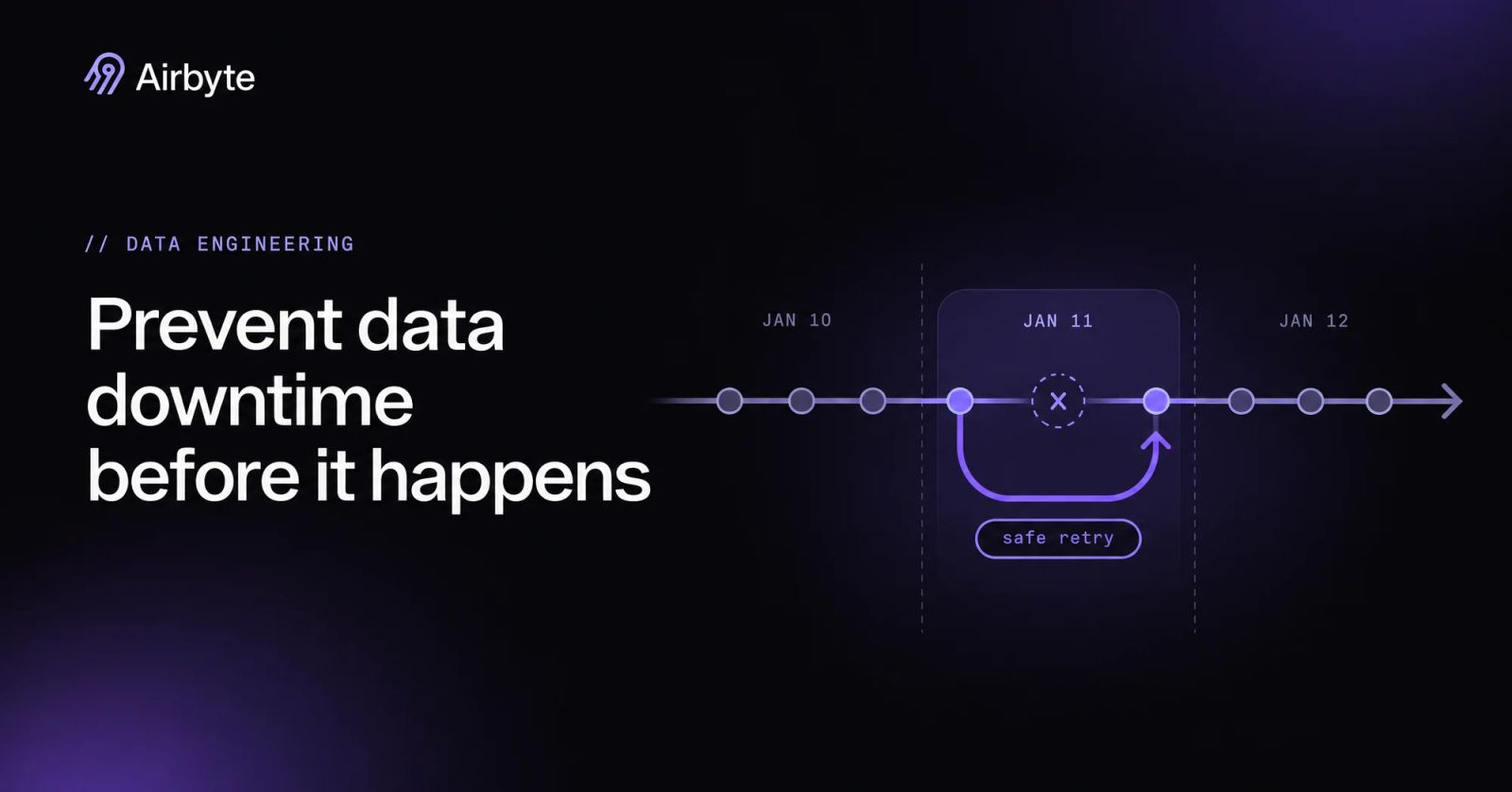
Most data teams respond to a broken dashboard by adding another monitor, and that is the wrong order. An alert can tell you a table is stale or short. It cannot make the rerun safe, stop a renamed column from silently nulling a metric, or prove the backfill did not double-count a day of revenue. Data pipeline reliability comes from recovery design first and detection second, built through six practices: idempotent retries, checkpointing with safe backfills, schema-change handling, in-pipeline validation and testing, monitoring that avoids alert fatigue, and SLOs the business can measure. Teams that build detection first end up with excellent visibility into pipelines they still cannot fix quickly.
TL;DR
- Make every write idempotent with merges on keys, partition overwrites or deduped destination modes, so a retry produces the same table as the first run.
- Use checkpointed incremental state to resume interrupted syncs, and expect at-least-once delivery that your destination has to absorb.
- Treat schema changes as a review gate. Let additive changes flow, hold removals and type changes, and tell downstream owners before the change lands.
- Validate at ingestion and test model logic in CI, so bad data stops before it reaches a dashboard.
- Monitor freshness, volume and failures against tiered SLOs with error budgets, and page a human only when an SLO is threatened.
What Data Pipeline Reliability Means
Reliable data arrives complete, correct and on time, and it comes out the same no matter how many times the pipeline that produced it was rerun. Data downtime is any period when data is partial, wrong, missing or late enough that someone makes a decision on bad numbers. That definition covers stale tables nobody noticed, not only crashed jobs, and that is why job status alone undercounts downtime.
Failures happen in three places. Ingestion pulls records from databases, APIs and files. Modeling reshapes them into tables people query. Storage holds both the raw landing tables and the modeled outputs. ETL does the reshaping before load, so an extraction bug and a logic bug can sit in the same job. ELT lands raw data first and models it inside the warehouse, which splits failures into two layers: replication problems show up in raw tables, and logic problems show up in models. The split matters for recovery, because you can rebuild models from raw tables without touching the source again.
Why Data Pipelines Break
Most pipeline breaks do not crash anything. The job reports success and the damage shows up hours later in a dashboard. Six causes follow, each paired with the practice that stops it:
- Silent schema drift: A source renames or drops a column, the load succeeds, and the field arrives as NULL. Contract checks and schema-change gates catch it.
- Low-quality inputs: Malformed records, unexpected nulls and out-of-range values pass through untouched unless something checks them. Ingestion validation and quarantine handle them.
- Untested model logic: A join that fans out or a filter that drops a segment produces plausible but wrong numbers. Unit and data tests in CI catch these before deployment.
- Partial loads: A job dies halfway through a write and the next run appends on top of the half-written batch. Idempotent writes and checkpointing make that rerun safe.
- Upstream API changes: Deprecated versions, new pagination or changed response formats arrive without notice. Engineers classify these as permanent errors rather than transient ones.
- Dependency failures: Extraction fails, but downstream models run anyway on yesterday’s data. Explicit task dependencies in the orchestrator stop the chain.
Four of these six produce no error at all, so a pipeline with green job status can still be the source of the wrong number in a board deck. The first defense is to make every task safe to run again.
Make Every Task Safe to Retry
A retry is safe only when running a task twice produces the same table as running it once; without that property, an engineer rerunning a failed job to fix missing data can create duplicates instead. Idempotent writes, checkpointed state and bounded retry policies make backfills and incident fixes safer and cheaper, because engineers can recover without repeating all the work or corrupting earlier writes.
Idempotent Writes
Idempotent writes replace or merge on a key instead of blindly appending. The three common patterns are a MERGE or upsert on a primary key, an atomic overwrite of a whole partition such as one date, and a destination mode that deduplicates for you. Append-only tables are the exception you should justify, not the default.
Deduplication at the destination matters because most replication systems deliver records more than once during recovery. Airbyte describes itself as an at-least-once delivery system that may resend records after a resumed sync. Its Incremental Append + Deduped mode makes the final table unique per primary key by sorting on the cursor field and keeping the latest row. For full refreshes, a resumed sync can also create duplicates, so Airbyte recommends Overwrite + Deduped over Overwrite when duplicates are unacceptable, at the price of extra warehouse compute. Pick a deduped mode for any stream with a stable key. For streams without one, deduplicate in the first model downstream and document the rule.
Checkpointing and Incremental State
Checkpointing determines how much work a failure costs you. A pipeline that saves its position as it reads can pick up near where it stopped. One that saves position only at the end starts over. Incremental pipelines track a cursor, usually an updated_at timestamp or a log position, and each checkpoint records how far the cursor has advanced.
In Airbyte, sources emit state messages while they read, and if replication fails, the next attempt starts from the last checkpoint instead of the beginning. Checkpoint frequency varies by connector: the MongoDB source, for example, checkpoints a full refresh about every gigabyte of documents. Whether a sync resumes or restarts depends on what interrupted it:
- Within one job, retries pass state forward, but resumable full-refresh state is deleted at the start of each new job.
- If the platform’s workflow itself restarts, in-progress jobs fail and no automatic retry occurs until the next scheduled sync.
- Choosing Clear removes state entirely, and you have to sync again to reload the stream.
Cursors have a blind spot that checkpointing cannot fix. If a source updates a row without touching the cursor column, an incremental sync will not pick up that change. Before you trust an incremental stream, confirm with the source owner that every write path updates the cursor. Resumption narrows the replay window. It does not remove duplicates, which is why the idempotent write comes first.
Retry Policies, Backoff and Dead-Letter Queues
A retry policy has to tell transient errors from permanent ones. Timeouts, rate limits and dropped connections often clear on their own, so retry those with exponential backoff, random jitter so clients do not retry in lockstep, a cap on attempts and a cap on total elapsed time. An expired credential, a deleted table or a malformed record will fail identically every time. Retrying those only delays the alert.
Retries handle whole-job failures, not bad records. Airbyte’s job retries back off at 10, 30 and 90 seconds, then 4 minutes 30 seconds, after successive complete failures. Record-level errors need a different path. Kafka Connect’s errors.tolerance setting defaults to none, which fails the task on any bad record, while all skips problematic records; sink connectors can route the skipped records to a dead-letter topic. Retrying will never clear a bad record, so you have to decide in configuration whether it fails the task or gets skipped and routed.
A dead-letter queue keeps one poison record from halting a whole load, but it creates a second dataset someone has to own. Give every dead-letter queue a named owner, retention longer than the source queue’s, a size alert and a tested replay procedure. Records that sit in quarantine with nobody watching are data loss that happens to be slow.
Backfills: Rerunning a Failed Partition Safely
Backfills are where idempotency gets tested in production. Suppose a daily orders load fails partway through the 2026-10-14 partition after writing about half its rows, and the next day’s run succeeds. The safe rerun follows a fixed sequence:
- Confirm the source still has the data: Check that source retention covers the date, because a rerun against purged data produces a smaller, wrong partition.
- Rerun only the failed partition: Overwrite 2026-10-14 atomically, so the half-written rows disappear in the same transaction that writes the complete set.
- Compare counts: Match the destination row count for the date against a count from the source for the same window.
- Check for duplicate keys: Run a uniqueness query on the business key for that partition.
- Rebuild dependent models: Rerun downstream models for the affected date only, then recheck the dashboard metric that triggered the alert.
The duplicate check is a few lines of SQL:
SQL
-- Run after rewriting the 2026-10-14 partition
SELECT order_id, COUNT(*) AS copies
FROM analytics.orders
WHERE order_date = '2026-10-14'
GROUP BY order_id
HAVING COUNT(*) > 1;
Zero rows back means the rerun did not double-write. Airbyte’s equivalent is a refresh sync, and refresh syncs are resumable when source and destination support checkpointing. The refresh-and-remove variant has a sharp edge: if the source no longer retains all its records, removing destination rows before reloading can lose data permanently. Step one exists for that reason.
Handle Schema Changes Before They Reach Dashboards
Schema drift is the break most likely to pass silently, because the load succeeds and the damage lands downstream: a dropped column becomes a NULL, a type change becomes a coercion error three models later, and nobody gets paged until a stakeholder asks why a metric fell to zero. Engineers need ingestion contracts, propagation controls and consumer notifications to decide in advance which changes flow through automatically and which stop for human review.
Contract Checks at Ingestion
A contract is a written list of expected columns, types and keys for a dataset, checked every time data arrives. The check either fails the load or flags it for review, and the choice should depend on the column. A missing primary key should fail the load. A new optional column can pass with a warning.
Tooling for this exists at several layers. dbt model contracts check column names and types when a model builds and refuse to build on a mismatch. Great Expectations and Soda express the same checks as expectations or YAML contracts that run inside the pipeline. On many warehouses, primary key constraints are declarative and not enforced, so a separate uniqueness test still has to run even when the DDL declares the key. Put the contract at the boundary between ingestion and modeling, because that is the last point where a bad shape affects one table instead of every model built on it.
Additive-Only Evolution and Quarantine
Additive changes are usually safe and destructive ones usually are not. A removed column, a renamed field or a narrowed type can break every query that references it. A workable default lets additions propagate automatically and holds removals and type changes for review.
Airbyte has a connection setting with four propagation options:
- Propagate field changes only
- Propagate all field and stream changes
- Approve all changes myself
- Stop future syncs
Airbyte holds the most dangerous changes for review regardless of setting: it pauses the connection for manual review when a source removes the primary key or cursor. A removed column stays in the destination with its history, and later rows get NULL for that field. A changed data type leaves existing data alone, and on Destinations V2 incompatible new rows produce a row error recorded in _airbyte_meta. Detection cadence differs by deployment: Airbyte Cloud checks before each sync at most every 15 minutes per source, while self-managed instances check at most every 24 hours by default. For CDC sources, Airbyte recommends “Approve all schema changes myself”, because a newly added column has to be snapshotted before CDC can track it. So the setting you choose, together with the check cadence, decides how soon a destructive change reaches you and what it leaves behind.
Those defaults decide what happens at the boundary. What happens downstream is still yours: someone has to decide whether a NULL-filled removed column should trigger a model failure or a warning.
Notifying Downstream Consumers
A schema change handled correctly at ingestion can still break a dashboard if its owner hears about it from a stakeholder. Every modeled table needs a named owner and a list of known consumers, kept somewhere the on-call engineer can find in under a minute. When a held change gets approved, the approval should notify those consumers before the change ships.
For changes you control, use deprecation windows. Version the model, publish the new shape alongside the old one, give consumers a fixed date to migrate and remove the old version only after that date. That turns a schema change from an incident into a calendar entry, which is the whole point.
Validate Data Quality at Every Stage
Contracts check shape. Validation checks content, and it has to run at two points: when data lands and when SQL logic changes.
Checks at Ingestion
Ingestion checks catch problems that came from the source, before modeling multiplies them. Five checks cover most of what goes wrong:
- Nulls: Required fields such as keys, timestamps and amounts are present.
- Types: Values parse as the declared type, so a currency field holds numbers.
- Row counts: The load size falls inside a band based on recent history.
- Duplicates: Primary keys are unique within the batch and against the existing table.
- Ranges: Values sit inside plausible bounds, such as no negative quantities and no order dates in the future.
Each check needs a decided outcome. Failing the load is right when bad rows would corrupt a key metric. Quarantining the offending rows and loading the rest is right when partial data is better than none and the bad rows can be fixed later. Write that decision into the check’s configuration, because an engineer making it during an incident will make it inconsistently.
Testing Layers for Downstream Models
Model logic needs the same layered testing as application code, and each layer catches a different class of bug:
CI should build only the changed models and their downstream dependents in a staging schema, which keeps runs fast enough that engineers do not skip them. State-based selection detects changed code, not changed data, so the production layer still has to run on a schedule.
Monitor and Alert Without Alert Fatigue
Monitoring belongs after recovery and validation for a practical reason: an alert is only as useful as the action it triggers. With safe reruns and tests in place, every alert can point to a known fix.
Monitoring vs Data Observability
Basic monitoring answers whether a job succeeded. Data observability answers whether the data it produced is right, which is the question stakeholders care about. Observability tools commonly organize their signals into freshness, volume, schema, distribution and lineage, layered over job logs and run metrics.
The difference shows up in the silent failures listed earlier. A job that loads half a partition reports success to a monitor but shows up as a volume anomaly to an observability check. Airbyte’s connection timeline exposes one of these signals directly: records extracted can exceed records loaded when an attempt fails mid-extraction, so a large difference between the two is worth investigating even when the final status is success.
Freshness, Volume and Failure Alerts
Three alert types cover most data downtime. Freshness alerts fire when a table’s newest record or last successful load is older than its threshold. Volume alerts fire when a load’s row count falls outside its expected band. Failure alerts fire when a job fails after exhausting its retries, never on each attempt.
Static thresholds work for freshness, because the business sets the acceptable lag. Volume needs anomaly detection, because row counts move with weekdays, month ends and promotions. A simple version compares today’s count with the same weekday over the trailing four weeks and alerts outside a band. Apply the same idea to arrival time: a file that usually lands at 02:10 and has not arrived by 04:00 is a problem worth knowing about before the 06:00 dashboard refresh.
Keeping Alerts Actionable
An alert that does not lead to action trains engineers to ignore the next one. Keep alerts actionable with four controls:
- Severity tiers: Page a human only when a tier 1 SLO is at risk. Everything else opens a ticket for business hours.
- Routing to owners: Send each alert to the team that owns the table, not to a shared channel where everyone assumes someone else is looking.
- Deduplication and grouping: Collapse a burst of related alerts into one notification. Prometheus Alertmanager, for example, deduplicates, groups and routes alerts, and can suppress downstream alerts while an upstream one is already firing.
- Suppressing noisy checks: Review alert history monthly and downgrade or delete any check that fired repeatedly without leading to a fix.
Alert on symptoms consumers feel, such as a stale table, rather than every possible cause. A failed upstream task matters because it makes a table stale, so the stale-table alert is the one worth paging on.
Reliability SLOs You Can Measure
SLOs turn “the data should be reliable” into numbers the business agrees to and engineering can measure. Without them, every delay is an emergency and nothing is. The targets below are starting points to adjust to your own consumers, not benchmarks:
Data feeding AI applications belongs in tier 1 when those applications answer questions from current records, because a stale table there produces a confident, wrong answer instead of a visibly broken chart.
Error budgets make the targets operational. An error budget is one minus the SLO. While budget remains, the team ships changes normally. When a fast burn threatens to spend the month’s budget in hours, page someone. When a slow burn erodes it over days, open a ticket. When the budget runs out, pause risky changes to that pipeline and spend the time on the cause. The budget gives the platform team a factual answer when someone asks whether a new source can go live this week.
Use Lineage and Orchestration to Recover Fast
SLOs set the time limit for recovery. Orchestration and lineage determine whether you can meet it, because recovery means knowing what broke, what depends on it and how to rerun it in the right order.
Orchestration: Scheduling, Dependencies and Retries
The orchestrator owns dependencies: a model should not run until the sync feeding it succeeds. It also owns task-level retries. In Airflow, tasks take retries, retry_delay and exponential backoff settings along with a maximum retry delay. Dagster and Prefect offer comparable retry policies with backoff and jitter.
Airbyte syncs fit into all three. The Airflow provider’s AirbyteTriggerSyncOperator triggers a sync, and in asynchronous mode an AirbyteJobSensor monitors the job without occupying a worker slot. The dagster-airbyte integration represents Airbyte connections as Dagster assets, and Airbyte’s docs recommend setting the connection schedule to Manual so Dagster controls when runs happen. Prefect flows can trigger syncs and poll job status through the Airbyte API with orchestration tools. In each case the sync becomes a task the orchestrator can order, retry and alert on, so downstream models wait for it.
Watch for stacked retries. If Airbyte already retries a failing sync internally and the orchestrator task retries three more times on top, a permanent error can take a long time to surface as an alert. Let the replication layer handle transient connection errors, keep orchestrator retries low for sync tasks, and set an overall task timeout that matches the pipeline’s SLO.
An Incident Runbook from Alert to Postmortem
Engineers record recovery decisions in a runbook before an incident forces them to make those decisions under pressure. On-call engineers should follow the same sequence for every tier 1 pipeline:
- Alert: The on-call engineer acknowledges and records the start time, which becomes the MTTR clock.
- Triage via lineage: Trace the alerting table upstream to the first failing or anomalous node, and downstream to every affected dashboard and model.
- Contain: Pause downstream jobs that would spread bad data, and mark affected dashboards as stale so consumers stop using them.
- Fix: Correct the cause, whether that is a credential, a schema approval, a code change or an upstream ticket.
- Backfill: Rerun only the affected partitions with idempotent writes.
- Verify: Compare counts with the source, check for duplicate keys and confirm the original alerting metric has recovered.
- Postmortem: Write down the cause, detection time, resolution time and the change that prevents a repeat, then update the SLO error budget.
Steps 5 and 6 are fast only if the earlier practices exist. A team without idempotent writes spends the backfill step working out how to remove duplicates.
Batch vs Streaming Reliability Trade-Offs
A common claim holds that batch is more reliable than streaming. The more accurate statement is that they fail differently and recover differently. A failed batch job has a clean boundary: rerun the partition and overwrite it. A streaming pipeline has no natural boundary, carries continuously maintained state and has to decide what to do with events that arrive late or out of order.
Exactly-once delivery in streaming is real but narrow:
- Kafka’s idempotent producer and transactions, combined with consumers reading committed data only, give exactly-once delivery within Kafka, while delivery to other systems generally needs those systems to cooperate.
- Flink’s KafkaSink in exactly-once mode writes messages in a Kafka transaction committed on checkpoint, which delays visibility until the checkpoint completes and requires tuning
transaction.timeout.msagainst checkpoint and restart durations. - Late data is a separate problem: Flink uses watermarks to estimate event-time progress and lets a window accept events for an allowed lateness period. When configured, a side output receives anything later instead of dropping it.
CDC sits between the two models. Airbyte’s CDC reads from the previous log position up to the sync start time and does not treat CDC sources as infinite streams, so sync frequency has to stay ahead of log retention; Airbyte recommends 7 days of retention and lists failing the sync, rather than automatic resync, as the better fit for large production databases when the log position is lost. On Postgres, if the WAL the connector needs has been removed, the correct recovery is a full refresh of the table.
Choose batch or scheduled CDC when consumers tolerate minutes or hours of lag and you want reruns with clear boundaries. Choose streaming when a decision depends on events within seconds, and budget for the state management, late-data policy and transaction tuning it requires.
How to Get Started
Start by ranking every pipeline into tiers, because tier 1 deserves the work first and tier 3 may never need it. For each tier 1 pipeline, audit recovery before you add any monitor: can it be rerun for one partition without duplicates, does it write with a merge, overwrite or deduped mode, and what happens to its schema when a source drops a column?
Managed replication covers part of that audit. Airbyte runs syncs from a catalog of 700+ connectors with checkpointing, state management, retries, schema-change detection and deduped destination modes, and the deployment model should follow your constraints.
Airbyte Cloud fits teams with no residency requirement. Airbyte Flex fits teams whose data plane must stay in their environment: Airbyte operates the control plane while the data plane, along with your records, credentials, keys and compute, runs in your environment, though some metadata such as cursor and primary-key values sits in the control plane. Airbyte Open Source fits teams that want to run and maintain everything themselves.
Engineers still own the decisions no connector makes. You set freshness targets with the business, write the model tests, choose which schema changes need a human, keep owner lists current and run the incident when it comes. The same governed, replicated tables that feed analytics can feed AI applications, which raises the cost of getting those decisions wrong, because an application answering from stale records fails without any visible error.
Get a demo to see how Airbyte handles checkpointing, retries and schema changes on your own sources.
Frequently Asked Questions
Consumer decisions determine freshness commitments, while recovery, observability and testing determine whether engineers can meet them without duplicate records or noisy alerts.
What does data reliability mean in practice?
Data reliability means consumers can use a table without checking it first. The data is complete for the period it claims to cover, correct against the source, fresh enough for the decision being made, and identical whether the pipeline ran once or was rerun after a failure. A pipeline can have perfect uptime and still be unreliable if it quietly loads wrong or partial data.
How do you retry a pipeline without creating duplicates?
You make the write idempotent before you add retries. Merge on a primary key, overwrite whole partitions atomically or use a destination mode that keeps one row per key. Then any number of retries converges on the same table. Retries layered on top of plain appends are what create duplicates, regardless of how good the retry policy is.
Is data observability different from monitoring?
Yes. Monitoring watches the pipeline’s machinery, such as whether jobs ran and how long they took. Observability watches the data those jobs produced and helps you investigate problems nobody wrote a rule for, such as a sudden shift in a column’s value distribution. Most teams need both, with monitoring as the base layer.
How should you set a freshness SLA for a table?
Ask the consumer what decision the table supports and how stale it can be before that decision changes. A finance close table might tolerate a day while a fraud signal tolerates minutes. Agree on a measurable threshold and a target percentage over a window, then publish it so both sides judge incidents by the same number.
How do you avoid alert fatigue on a data team?
Page people only for problems that threaten an agreed SLO and that the recipient can fix. Route everything else to tickets, group related alerts into one notification and delete checks that never lead to action. A useful test is whether the on-call engineer would do something different after reading the alert; if not, it should not exist.
How should you test data models before they reach production?
Test logic and data separately. Unit tests run a model against small fixed inputs to prove the SQL does what you intend, and data tests check built tables for nulls, duplicate keys and broken references. Run both in CI against a staging schema on every pull request, and keep scheduled production tests for the drift that test fixtures will never contain.

Integrate with 700+ apps using Airbyte
Move data from 700+ sources into warehouses, lakes, and beyond. Set up pipelines in minutes with pre-built connectors and the Connector Builder.