How Do I Calculate the Cost of Running My ETL Workloads?
Covers the billing units, inputs for each stage and capacity sizing behind ETL cost calculation, with a model you can validate against real usage.
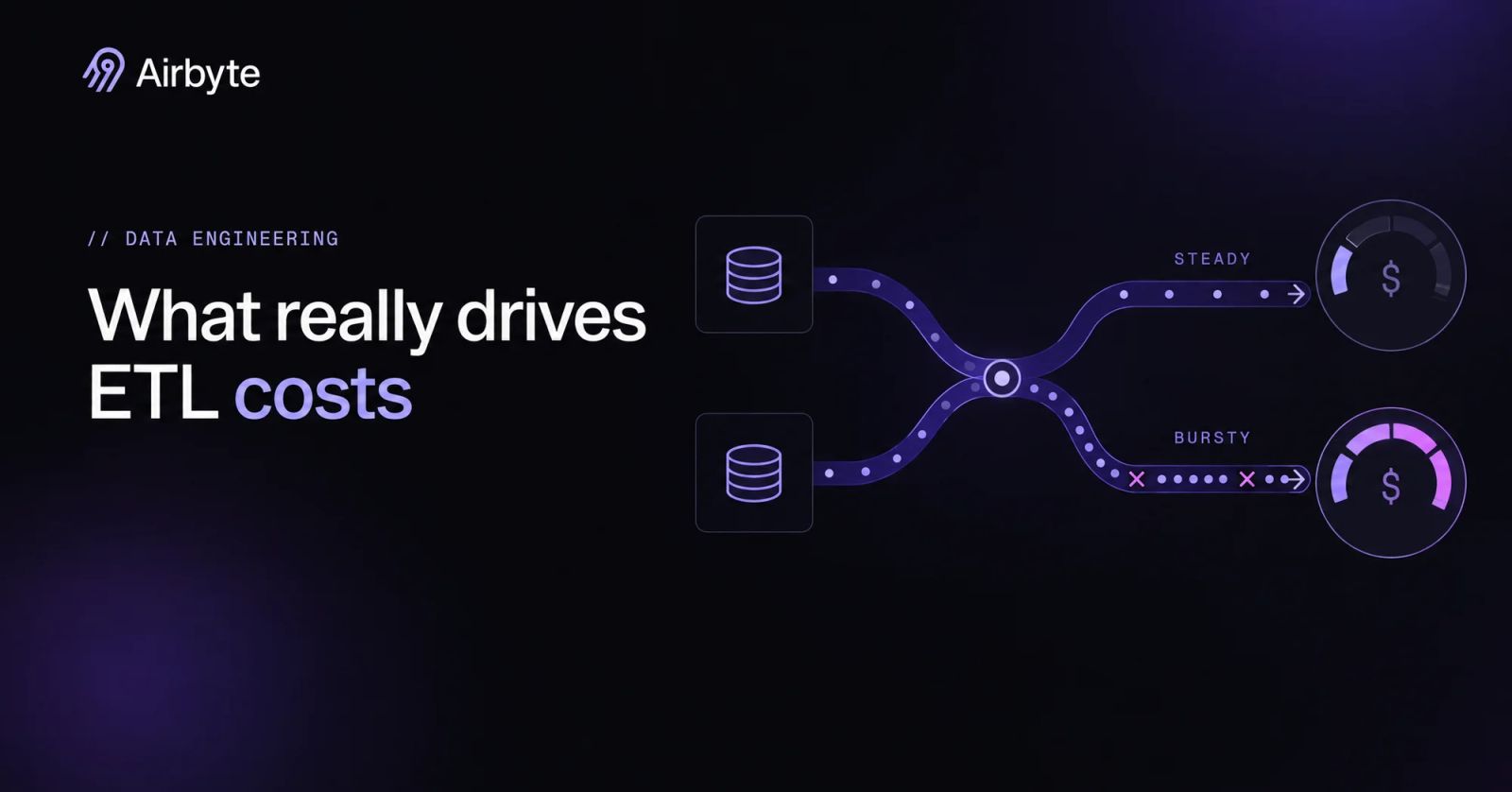
Data volume is a poor starting point for an ETL budget, because two pipelines can move the same gigabytes while one syncs every few minutes against a rate-limited API and the other loads once overnight. Frequency, concurrency, retries and the engineers who watch those pipelines explain why their costs diverge. Total cost of ownership for data integration is the sum of seven lines: the platform subscription, priced on its billing unit; implementation labor; warehouse compute, storage and egress, which scale with volume and run count; maintenance hours; data preparation; governance and compliance work; and downtime during cutover. Volume drives only some of those lines, so an accurate ETL cost calculation starts with how workloads run and who maintains them.
Summary
- Identify each vendor’s billing unit before you compare prices. Rows, events, credits, processing units and compute hours each respond to a different workload behavior.
- Model the extract, transform and load stages separately, then validate the combined model against a month of real usage.
- Re-syncs, initial loads and overlapping schedules cause most of the distance between estimate and invoice.
- On capacity-based plans, peak concurrent syncs set the worker count. Scheduling has as much effect on cost as data volume does.
Learn more about hybrid deployment
How Do You Get a Quick ETL Cost Estimate?
A quick estimate keeps only the four lines that recur every month and leaves implementation, data preparation, governance and cutover for the detailed model. Add the platform charge, which is billing units per month times the unit rate, then warehouse compute for transformations, engineering hours times a loaded hourly cost, and the network and storage charges on your cloud bill. Most first drafts leave out the last two, which is why they look cheap.
The platform term is the one teams get wrong most often, because the billing unit determines which workload behavior drives the bill. A per-row model charges for change, a capacity model for concurrency, and a compute-hour model for runtime. If you plug a volume forecast into a runtime-based meter, the estimate looks precise and still misses the real driver. A quick estimate is a sanity check for one question: whether the workload is cheap enough that precision does not matter.
When Should You Switch to Detailed Modeling?
Switch to a detailed model once any term of the quick estimate starts to swing from month to month, or once a workload includes database CDC, sub-hourly schedules or large initial loads. These three features create cost events that a steady-state average hides.
Automatic re-syncs illustrate that risk: they recover from lost CDC positions by running a full refresh, and the CDC recovery downsides include time on large datasets, resource consumption, unexpected compute, database load, and write and transfer costs. One forced full refresh of a large table can cost far more than the routine incremental syncs around it. Before you can model that risk, you need to know which inputs to collect.
What Data Do You Need Before Calculating ETL Costs?
You need inputs that describe your data pipeline’s workload behavior as well as workload size. Collect each of these per connection, because averages across connections hide the outliers that set peak cost:
Deployment constraints belong in both the cost model and the security review. With Airbyte Flex, Airbyte operates the control plane while records are processed in your data plane and credentials are stored in your own secrets manager, though some metadata such as cursor and primary-key values sits in the control plane. Data-plane compute therefore appears on your own cloud bill. If residency rules are still being settled, work through the Checklist for Meeting Data Sovereignty Requirements in Pipelines before you price anything; a boundary decision made after the estimate invalidates the estimate.
How Do You Create A Detailed ETL Cost Model?
A detailed model prices each stage on its own terms, then adds up the stages. A single blended rate hides which stage is growing.
Step 1: Profile Your Extract Stage
Extraction cost depends on sync mode first and volume second. Incremental reads and CDC read only what changed, so their cost follows change rate. Full refresh rereads the whole table every run. If you move large tables to incremental logic with CDC, extraction cost tracks the business’s write activity instead of table size.
CDC brings a cost of its own that belongs in the model: log retention. WAL retention must exceed the sync interval. On Postgres, an invalidated replication slot fails the sync without automatic recovery, and recovery means a fresh snapshot.
For MySQL, budget for ten days of binlog retention so a paused or failed pipeline can resume incrementally. Pay for that retention as source storage, because the alternative is a full reload.
API sources add rate limits, and rate limits stretch runtime. Airbyte’s Salesforce connector ends the sync early when the daily API limit is reached and resumes on the next run. The work still gets done, but freshness slips. Runtime also feeds back into schedules, because Airbyte runs one sync per connection at a time and starts a due sync only after the previous one finishes. A slow source costs you freshness first, and then it shows up in the concurrency math later in this model.
Step 2: Size Your Transform Stage
In an ELT architecture, transformation cost lives in the warehouse. Price it as model runtime times the warehouse’s compute rate times the number of runs per day. Airbyte integrates with dbt for post-sync transformation, but replication and transformation stay separate line items. The integration platform moves the data, and your warehouse bills for reshaping it.
Frequency makes this stage multiply. A model that rebuilds after every 15-minute sync runs 96 times a day. The same model run after the morning load runs once. Tie each model’s schedule to the freshness its consumers need. Rebuilding a dashboard table every quarter hour for a report people read weekly is a common way for the warehouse line to grow without anyone noticing.
Step 3: Quantify Load Costs
The destination write mode sets the load cost. With full refresh overwrite on certified database and warehouse destinations, Airbyte recreates the final table each sync: it writes to a temporary table and drops the old one at the end. Every run pays for a full write, while append mode writes every record each sync and accumulates duplicates, which cost storage and later dedup queries; deduped modes cost merge compute in exchange for clean tables.
Infrastructure costs follow data volume, and they land on your cloud invoice rather than on the vendor quote. Start with destination storage, which is retained GB times your storage rate per month. Count staging buckets and any copies a write mode keeps, including the append duplicates described above. If a 50 GB table syncs daily in full refresh append, the destination holds about 1.5 TB of copies after 30 days, so the storage line grows every month until someone prunes it.
Egress is the GB crossing a cloud or region boundary per month times your egress rate. Full refresh multiplies egress by the number of runs, because every run moves the whole table, while incremental and CDC syncs keep egress near the volume of changed data. Warehouse load compute is the third line: merge work for deduped tables grows with the rows written per run, so both volume and sync frequency feed the warehouse bill.
Step 4: Price Data Preparation, Governance and Cutover
Preparation and compliance work lands on neither the vendor quote nor the cloud invoice but on your team’s calendar. Start with the hours to map source fields to destination schemas, cleanse and deduplicate records in warehouse models, and maintain those models as sources change. Airbyte handles column selection and field-level mappings such as hashing, encryption, renaming and row filtering during replication, but cleansing logic stays your work in the warehouse, where dbt runs separately from the sync. Price that modeling effort as recurring engineering hours, because it does not end after launch.
Governance adds a second block of recurring hours. If GDPR or HIPAA scope applies, price access reviews, PII masking, audit logging review and documentation as standing monthly work rather than a one-time project. Regulated teams should add audit and control costs here, and the banking data governance controls show which controls carry operating cost. Leaving these hours out makes the model look cheaper than the program it describes.
Cutover is the third line, and it applies when you replace an existing pipeline. Budget the overlap window where the old and new pipelines run in parallel, the initial load time before the new pipeline is current, and the reconciliation hours spent proving both sides match. The CDC initial load timeout caps the snapshot phase at a maximum of 24 hours before Airbyte switches to CDC streaming, so large databases may need several planned passes before the new pipeline catches up. If your team runs both pipelines for two weeks, the platform and warehouse charges for that window roughly double, and reconciliation hours come on top. These are the lines the validation step has to catch, because no invoice exposes them.
Step 5: Combine & Validate
Sum the stages, then test the model against a month of actuals before anyone signs a contract. Pull real sync durations, warehouse minutes and engineering tickets, and compare each to the modeled figure. Wherever actuals diverge by more than you can explain, an input is wrong.
Validate failure costs as well, because recoveries are where models break. Airbyte checkpoints state and resumes from the last committed state after a failed attempt. Its at-least-once delivery means a record can arrive more than once. One hypothetical failure test is to interrupt a sync after a partial write and compare source and destination records after recovery.
That shows you what a failure costs in reprocessing and cleanup, and ingestion failures also degrade AI data quality. Once the model holds up against actuals, it can compare vendors, and the billing unit becomes the comparison that matters.
How Do ETL Platforms Compare on Cost?
Platforms differ less on rate than on what they meter. Each billing unit rewards a different workload shape:
Volume-based models suit a workload with modest, predictable change. A small team pays for what moves and never sizes infrastructure. Fivetran’s per-connection curve lowers the effective rate as a single connection grows, and its Hybrid Deployment option covers teams with boundary requirements. Capacity-based models suit the opposite shape: high change rates, frequent syncs and spiky volume, where a per-row meter turns every backfill into a budget event. Your workload’s ratio of change volume to concurrency decides which model costs less. Neither model is cheaper outright, and choosing the capacity model means you have to size it, which the next section covers.
How to Size Capacity-Based Plans: Data Workers by Workload
On Pro and Enterprise Flex, size Data Workers from peak overlapping syncs. A Data Worker is the compute unit those plans are priced on and runs about three syncs at once, per Airbyte’s plan pricing. The approximate, non-contractual defaults in monitoring data worker usage are about 0.5 workers per database sync and 0.2 per API sync, or about two database syncs or five API syncs per worker. Three is a rough midpoint; the per-source defaults fit your own mix more closely, so the worked examples below use them.
When every contracted worker is busy, new syncs queue with no fixed order and recheck capacity about once a minute. You can turn on on-demand capacity per connection so a sync runs instead of queueing. Compare peak usage per region with allocated capacity in the Peak data worker usage chart under Organization settings > Usage before buying more workers.
These hypothetical workloads use assumed durations to show how scheduling changes the worker count:
Staggering starts is what holds this mix near 3.5 workers by day, with the backfill at night. Allocations move in 0.5-worker increments. Starting everything at :00 would need about 12 workers. No public Airbyte pricing calculator converts workers to dollars, because Pro and Enterprise Flex are quoted per contract. Your durations will also differ from these assumptions: a CDC sync lengthens with change volume, and an overrun delays that connection’s next run, so size the allocation from your own measured durations.
Cron offsets at :15, :30 and :45 spread the work across the hour. Run backfills overnight. Reserve on-demand capacity for connections where a queued sync has a business cost, because a contract sized for the worst minute of the day pays for idle workers the other 1,439.
How Much Engineering Time Do Data Pipelines Cost?
A worker allocation is visible on a contract, while engineering time shows up only as lost sprint capacity, so it tends to go uncounted until a roadmap slips. The quick estimate already multiplies engineering hours by a loaded hourly cost, and the hours behind that term fall into four buckets. One-time implementation hours cover setup, schema mapping and testing for each connector. Recurring maintenance hours cover API version and auth changes, rate-limit tuning and schema drift. Incident and on-call hours cover the time spent diagnosing failed or late syncs, and upgrade hours cover moving connectors and platform versions forward. Loaded hourly cost is salary plus benefits and overhead, which your finance team can supply. Consulting or contractor time enters at the rate in the quote you receive.
Maintenance is the bucket that grows quietly, because the sources change on their own schedule. Airbyte’s Chargebee connector reduced its default concurrent threads to 3 after duration regressions at 5, in a Chargebee connector changelog entry dated May 26, 2026. HubSpot syncs also take longer when custom properties are in use. Neither is a defect to blame on a vendor. Both show that concurrency and sync duration are settings someone has to revisit as a source behaves differently.
For API integrations, that means the cost of a source includes the hours someone spends tracking its limits and changes, not just the hours spent connecting it the first time. Those hours repeat every month for every connector, and they land on the same people who would otherwise build new pipelines. Whether your team should carry that recurring load itself is the build-versus-buy question.
Is Building Connectors In-House Cheaper Than Buying a Platform?
Building makes sense in a few cases: a single stable internal source, a source no catalog covers, or requirements a pre-built connector cannot meet. Airbyte’s Connector Builder and low-code CDK sit between the two options by shortening the build, but maintenance of a custom connector stays with your team. A connector you write, or one you assemble in the builder, is still yours to keep working when the source changes.
If you run 10 connectors, and you assume building takes 80 engineer-hours per connector plus 6 maintenance hours per connector per month, while buying a pre-built iPaaS or ETL platform takes 4 setup hours per connector plus 1 oversight hour per connector per month and an annual subscription S, the three-year engineering hours compare like this. These are assumed values, not observed figures.
The build path in year 1 is 800 implementation hours (10 connectors at 80) plus 720 maintenance hours (10 connectors at 6 hours for 12 months), which gives 1,520. The buy path in year 1 is 40 setup hours plus 120 oversight hours, which gives 160. Years 2 and 3 carry only the recurring hours on each side. The difference over three years is 2,560 hours, so buying costs less when 3S is below 2,560 hours times your loaded hourly rate. Above that line, building wins on these assumptions, and changing the connector count or the maintenance hours moves the break-even with it.
Warehouse compute, storage and egress appear on both sides of the comparison, so they do not decide it. Building adds the hosting and orchestration you run yourself, which the table leaves out and which tilts the result further toward buying. Whichever way the comparison falls, the lines that remain are the ones worth attacking next, and the levers below take them one at a time.
What Are 10 Proven Ways to Reduce ETL Costs?
Every lever below works on a cost driver from the model. Start with whichever line item grew fastest last quarter:
- Match frequency to consumption: Set each schedule to the staleness its consumers tolerate. That includes AI applications that read replicated tables, which need a documented freshness target as much as dashboards do.
- Replace full refresh on large tables: Incremental and CDC modes read changes instead of rereading the table, which cuts extraction and load cost together.
- Sync only the columns and streams you use: Column selection drops fields nobody queries before they reach the warehouse.
- Size log retention to your schedule: Retention shorter than the sync interval converts a missed run into a full snapshot.
- Review schema changes before propagating them: A new source table adds sync time and storage, so decide whether downstream consumers need it.
- Tune connector concurrency to API limits: Airbyte’s Stripe connector runs 10 threads by default, and raising thread counts past a source’s limits buys throttling instead of speed.
- Chain transformations to sync completion: dbt runs triggered after a load finishes avoid rebuilding models on data that has not changed.
- Suspend warehouse compute between loads: Idle warehouse time between batch windows costs money and produces nothing.
- Retire idle pipelines: Connections nobody reads still consume runs, compute and on-call attention.
- Reconcile actuals monthly: Compare each line item to the model and fix the input that drifted before the drift reaches a renewal.
Conclusion
Make cost approval a decision about acceptable freshness and recovery tolerance. Before signing, require a per-stage model validated against real runtimes, a billing unit matched to the workload, and a capacity estimate based on peak overlap after schedule staggering; otherwise, the rate card cannot justify the purchase.
For Airbyte, a capacity commitment should follow the workload decision. Keep the approved assumptions beside the estimate so a later request for faster syncs has an explicit budget consequence.
Get a demo to see how Airbyte runs your sync schedules on capacity you size in advance.
Frequently Asked Questions
Why do ETL costs often exceed initial estimates?
Estimates usually describe a steady month, and real months include initial loads, schema additions and retries. Retries matter more than teams expect: by default, Airbyte Core fails a job only after 10 attempts that sync data, so a flaky source can reprocess work several times before anyone gets paged. Price at least one recovery event per quarter into the model.
What data inputs do I need for accurate ETL cost modeling?
Source every input from operational records. Use your platform’s logs for runtime, including total sync time for each event in Airbyte’s connection timeline, database log generation for change rate, and each source’s admin console for API quotas. Collect two to four weeks of data so the sample includes a month-end spike.
How does Airbyte help with ETL cost management?
Airbyte gives you a choice of cost model per workload: volume-based credits on Standard and Plus, capacity-based Data Workers on Pro and Enterprise Flex, and Airbyte Open Source, the open-source platform that is free to self-host and moves the cost to your infrastructure and engineering time. Pro and Enterprise Flex are contracted plans, so moving onto or between them runs through the Talk to sales process rather than self-serve billing.
How often should I review and adjust my ETL cost model?
On capacity plans, the workspace usage chart has a compare-to-previous-period toggle that shows whether peak concurrency is creeping up before it reaches your allocation. Your data pipeline’s architecture should also be reviewed whenever the model shows one stage growing faster than the others.

Integrate with 700+ apps using Airbyte
Move data from 700+ sources into warehouses, lakes, and beyond. Set up pipelines in minutes with pre-built connectors and the Connector Builder.