
Summarize this article with:





Trusted by data-driven companies










Building your pipeline or Using Airbyte
Airbyte is the only open source solution empowering data teams to meet all their growing custom business demands in the new AI era.
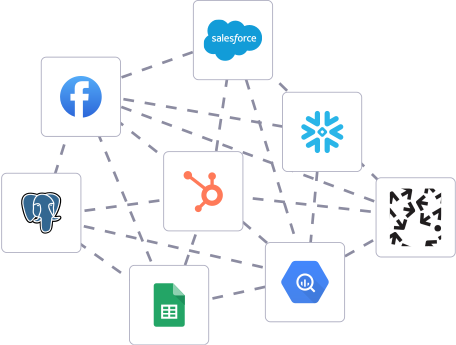
- Inconsistent and inaccurate data
- Laborious and expensive
- Brittle and inflexible
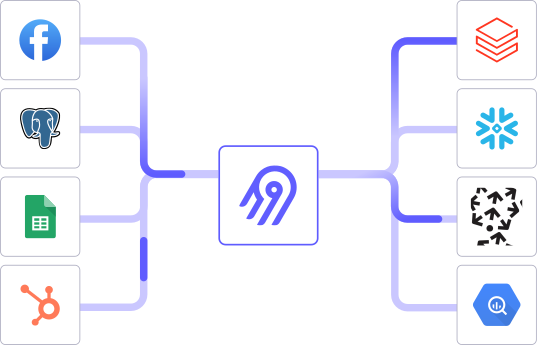
- Reliable and accurate
- Extensible and scalable for all your needs
- Deployed and governed your way
Start syncing with Airbyte in 3 easy steps within 10 minutes


Take a virtual tour
Demo video of Airbyte Cloud
Demo video of AI Connector Builder
Setup Complexities simplified!

Simple & Easy to use Interface
Airbyte is built to get out of your way. Our clean, modern interface walks you through setup, so you can go from zero to sync in minutes—without deep technical expertise.

Guided Tour: Assisting you in building connections
Whether you’re setting up your first connection or managing complex syncs, Airbyte’s UI and documentation help you move with confidence. No guesswork. Just clarity.

Airbyte AI Assistant that will act as your sidekick in building your data pipelines in Minutes
Airbyte’s built-in assistant helps you choose sources, set destinations, and configure syncs quickly. It’s like having a data engineer on call—without the overhead.
What sets Airbyte Apart
Modern GenAI Workflows
Move Large Volumes, Fast
An Extensible Open-Source Standard
Full Control & Security
Fully Featured & Integrated
Enterprise Support with SLAs
What our users say

Andre Exner

"For TUI Musement, Airbyte cut development time in half and enabled dynamic customer experiences."

Chase Zieman

“Airbyte helped us accelerate our progress by years, compared to our competitors. We don’t need to worry about connectors and focus on creating value for our users instead of building infrastructure. That’s priceless. The time and energy saved allows us to disrupt and grow faster.”

Rupak Patel

"With Airbyte, we could just push a few buttons, allow API access, and bring all the data into Google BigQuery. By blending all the different marketing data sources, we can gain valuable insights."
Start by exporting the data you need from Waiteraid. This can typically be done through Waiteraid's user interface or command line tools. Look for an export option that allows you to download data in a common format like CSV, JSON, or Parquet. Ensure you understand the structure and contents of the data you are exporting.
After exporting, organize the data files on your local machine. Ensure the files are properly named and stored in a directory that is easily accessible. Check the data for any inconsistencies or errors that might have occurred during export. If necessary, clean the data to ensure it is in a suitable format for importing into DuckDB.
If you haven’t already installed DuckDB, download and install it on your local machine. DuckDB is available as a standalone binary, or you can install it via package managers like pip for Python. Ensure you have the latest stable version to take advantage of the newest features and bug fixes.
Open a terminal or command line, navigate to the directory where you want to store your DuckDB database, and create a new database file by entering:
```
duckdb my_database.duckdb
```
This command initializes a new DuckDB database file named `my_database.duckdb`.
Use DuckDB's SQL interface to load your data. Start DuckDB by running:
```
duckdb my_database.duckdb
```
Then, use the `COPY` command to import your data files. For example, if you have a CSV file, use:
```sql
COPY my_table FROM 'path/to/your/file.csv' (AUTO_DETECT TRUE);
```
Replace `my_table` with the name you want for the table in DuckDB and `path/to/your/file.csv` with the actual path to your CSV file.
After importing the data, verify that it has been loaded correctly into DuckDB. Run SQL queries to inspect the data, such as:
```sql
SELECT * FROM my_table LIMIT 10;
```
Check for any discrepancies or errors in the data compared to the original dataset in Waiteraid.
To enhance query performance, consider creating indexes on columns that you frequently query. DuckDB supports various optimization techniques, so explore options like creating indexes or partitioning large tables. Use SQL commands such as:
```sql
CREATE INDEX ON my_table(column_name);
```
Replace `column_name` with the name of the column you wish to index. This step will ensure that your database is set up for efficient querying and analysis.
FAQs
What is ETL?

ETL, an acronym for Extract, Transform, Load, is a vital data integration process. It involves extracting data from diverse sources, transforming it into a usable format, and loading it into a database, data warehouse or data lake. This process enables meaningful data analysis, enhancing business intelligence.
WaiterAid is one kinds restaurant management software for the restaurant owners who use the WaiterAid booking system that helps you optimize your seatings by offering advanced customization. At present WaiterAid is the leading system for high-profile restaurants in many countries like Sweden, Germany, Canada and so on. You can exhibit a customizable button on your website that permits your visitors to place a reservation at your restaurant using the WaiterAid booking application.
Waiteraid's API provides access to a variety of data related to restaurant operations. The following are the categories of data that can be accessed through Waiteraid's API:
1. Menu Data: This includes information about the restaurant's menu items, such as their names, descriptions, prices, and ingredients.
2. Order Data: This includes information about customer orders, such as the items ordered, the time of the order, and the customer's contact information.
3. Table Data: This includes information about the restaurant's tables, such as their numbers, locations, and availability.
4. Staff Data: This includes information about the restaurant's staff, such as their names, roles, and schedules.
5. Sales Data: This includes information about the restaurant's sales, such as the total revenue, the number of orders, and the average order value.
6. Customer Data: This includes information about the restaurant's customers, such as their contact information, order history, and preferences.
7. Inventory Data: This includes information about the restaurant's inventory, such as the current stock levels, the items that need to be restocked, and the suppliers.
What is ELT?
ELT, standing for Extract, Load, Transform, is a modern take on the traditional ETL data integration process. In ELT, data is first extracted from various sources, loaded directly into a data warehouse, and then transformed. This approach enhances data processing speed, analytical flexibility and autonomy.
Difference between ETL and ELT?
ETL and ELT are critical data integration strategies with key differences. ETL (Extract, Transform, Load) transforms data before loading, ideal for structured data. In contrast, ELT (Extract, Load, Transform) loads data before transformation, perfect for processing large, diverse data sets in modern data warehouses. ELT is becoming the new standard as it offers a lot more flexibility and autonomy to data analysts.
What should you do next?
Hope you enjoyed the reading. Here are the 3 ways we can help you in your data journey:


