Same Airbyte, Different Footprint: One Catalog Across Deployments
Learn how one connector catalog works across cloud, hybrid, and self-managed data pipeline deployments without changing your integrations.
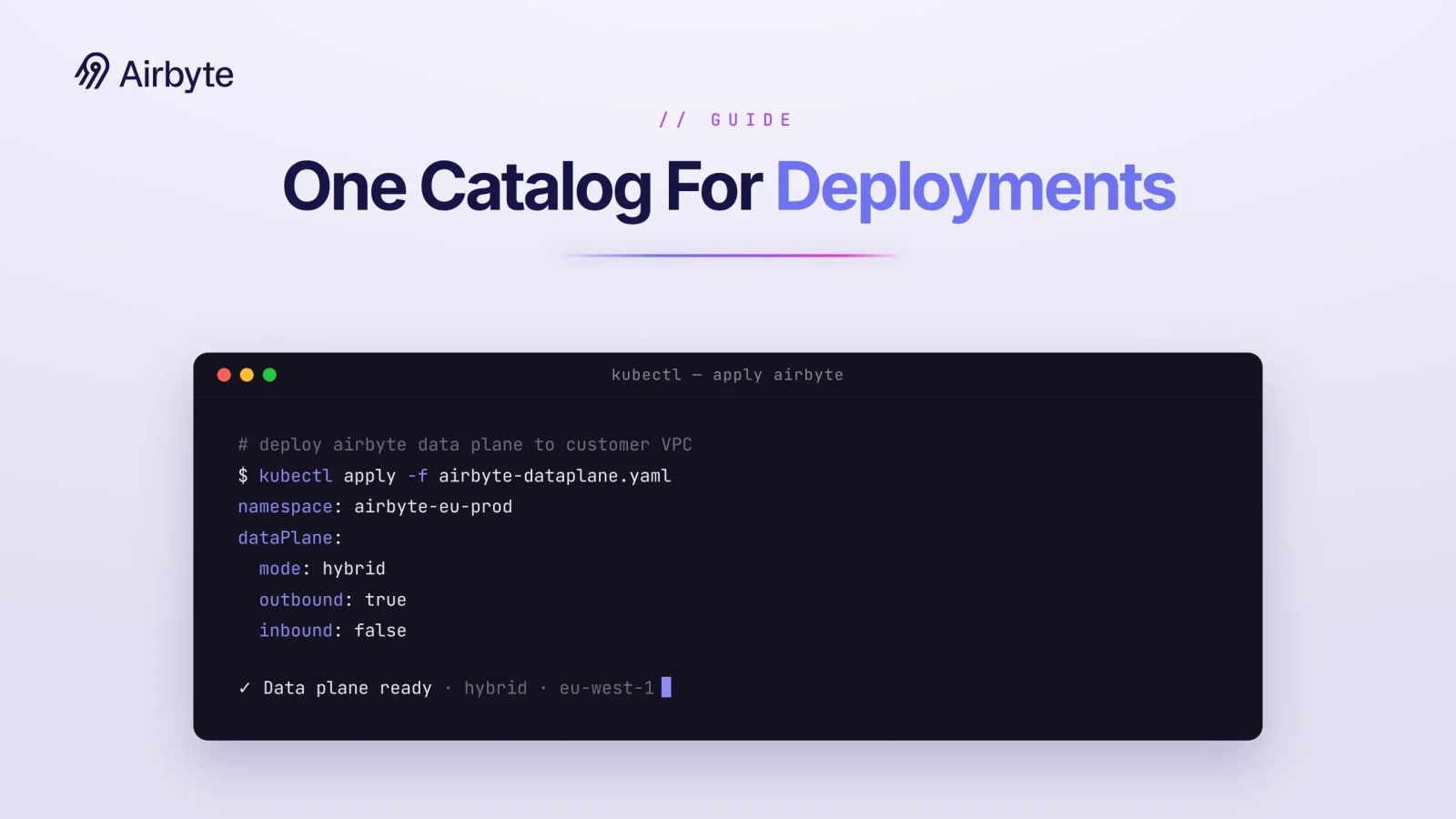
Your enterprise needs both deployment control and broad connector coverage. You may need sensitive data and credentials to stay in-boundary or on-premises for compliance, while other workloads need cloud connectors and data pipeline automation. Platforms with separate cloud and enterprise products can force you to choose by offering different integrations and operating models.
Portable connector definitions let your team retain pipeline configurations as the deployment footprint changes. Without that portability, a boundary change can turn into an integration migration with separate configuration, testing, and operating work.
TL;DR
- One Catalog Across Data Pipeline Deployments makes connector definitions and core pipeline configurations portable across cloud, hybrid, and self-managed deployment footprints.
- Payload data can stay in-boundary, but you must still review the metadata, logs, state, and telemetry that cross control-plane boundaries.
- Managed cloud, hybrid, self-managed enterprise, and air-gapped deployments fit different connectivity, key-control, and operating requirements.
- You still need to validate networking, credentials, artifact variants, connector state, upgrades, and rollback behavior in every environment.
What Makes Data Pipeline Deployment So Complex in Enterprises?
Enterprise pipeline complexity comes from operating the same logical workflows across environments with different network, identity, and compliance controls. You often run data pipelines in more than one place, such as a public cloud account and a private Kubernetes cluster.
Each environment has its own network rules, identity systems, and compliance checklists. When the control plane that schedules jobs sits in one network while the data plane that moves records lives elsewhere, even a simple pipeline becomes a maze of firewall rules and service accounts.
When cloud and on-premises products follow separate paths, they can create different release cycles and operational workflows. That fragmentation can force you to:
- Juggle different UIs, upgrade cycles, and support teams for the same logical pipeline
- Write custom scripts to keep monitoring dashboards in sync across environments
- Rebuild and redeploy each hotfix in every environment. This work consumes additional DevOps capacity
- Maintain two divergent stacks with separate operational risks and integration versions
Consider a global manufacturer that runs factory systems in Germany but pushes analytics to a U.S. Snowflake warehouse. Local GDPR rules restrict and condition international data transfers. They do not strictly require all processing to occur on European soil. The business still requires continuous CDC reporting.
A pipeline definition tied to a single deployment footprint creates divergent stacks across your organization. Even with portability, you still need separate network routes, credentials, state handling, and transfer assessments for each environment.
How Can You Use Shared Pipeline Models Across Environments?
A shared pipeline architecture separates control from execution so you can use a consistent pipeline model across environments. The deployment footprint changes which plane hosts each component and which operational controls apply.
Control-Plane and Data-Plane Boundaries
In a hybrid deployment, a managed cloud control plane handles orchestration, scheduling, and permitted metadata, while a customer-controlled data plane runs sync jobs inside your network. For a primer, read our explainer on the hybrid cloud deployment model. In a managed cloud, your provider hosts both planes, while in a self-managed enterprise deployment, you host both planes.
The control plane defines and orchestrates your pipelines. Each connected data plane can open outbound connections, so inbound firewall access remains unnecessary. Payload records and credentials can remain in-boundary inside your network, which matters for GDPR or HIPAA environments.
You still need to review metadata. Job status, error details, schema names, connector types, row counts, timestamps, and resource identifiers may contain sensitive or regulated information depending on the monitoring you configure. Telemetry fields qualify as personal data depending on their content and context.
Job status and throughput metrics can roll up to the control plane while records, detailed error logs, and traces stay local. Your governance team should approve exactly which metadata crosses that boundary and test what happens when the control plane or telemetry endpoint is unavailable.
Portable Connector Artifacts
Container-based integrations use Docker images. You can use the same connector with a shared source and specification while controlling artifact variants for different environments.
FIPS builds, DoD Iron Bank hardening, and amd64 or arm64 images can require different binaries or manifests. An OCI image index can present one tag while resolving to distinct platform-specific digests.
You can retain the same logical configuration for a Salesforce-to-Snowflake pipeline across SaaS and on-premises deployments. Runtime behavior can still vary with connector version, network policy, API limits, and destination configuration. A shared protocol and specification can standardize discovery, configuration, and state management, while you still need to validate source-specific requirements.
A container-native, control-plane/data-plane architecture lets you use the same connector specifications and workflows for discovery, configuration, state management, upgrades, and monitoring across environments. You can focus on data movement while applying controls for networking, secrets, keys, telemetry, and access.
Regional and Outage Operations
Regional operations require separate workspaces, explicit metadata policies, and tested outage behavior. A shared control plane can simplify orchestration, but it can also expand your shared failure domain if you leave local disconnection behavior undefined.
Consider an enterprise running a hybrid deployment: European customer data processes in an EU-only data plane within a private Virtual Private Cloud (VPC), while U.S. workloads run in managed cloud infrastructure. With this deployment model, you get:
- One platform instance covering multiple regions through separate workspaces
- A consistent role-based access control (RBAC) model, with assignments and approvals configured for each workspace and environment
- Centralized monitoring for the job metadata that you configure each data plane to export
- Coordinated version management across hybrid and self-managed environments
Disconnection and Reconciliation
You also need to define how connected data planes behave during control-plane unavailability. Running containers may continue, but new schedules, configuration changes, secret refreshes, and status reporting may depend on the control plane or local platform services.
For regulated workloads, test whether active syncs continue, how long local queues retain telemetry, which operations stop, and how state reconciles after reconnection. A control plane serving multiple regions can otherwise expand your shared failure domain. You can use per-cluster control planes to reduce shared failure domains and improve regional isolation, availability, and scalability.
Boundary Review
Before approving a hybrid deployment, document the boundary explicitly:
Your boundary review should assign an owner to each data category and document the controls that apply.
Deployment Comparison
Deployment effort and control vary by footprint, while security reviews, procurement, network design, and automation determine the actual setup time. Our overview of hybrid cloud services covers how vendors package these options.
How Can a Single Connector Catalog Simplify Your Governance and Scale?
A unified catalog gives your team repeatable connector specifications, configuration patterns, and promotion controls across deployment footprints. A single library of replication connectors narrows differences in connector selection and preserves your environment-specific validation.
Consistent Configuration Across Environments
Your platform can package each integration as a Docker image that follows a shared specification. You configure it through a consistent schema whether the data plane sits in managed cloud infrastructure or a self-managed Kubernetes cluster.
The platform dynamically renders the Web app from the integration's spec, so core form fields stay aligned. Your environment-specific values such as endpoints, secrets, certificates, network routes, and storage locations still differ.
Simplified Audit and Compliance
Versioned specs and catalog metadata give your risk team a common place to verify schemas, sync modes, and lineage. Your audit evidence should record the connector version, immutable image digest, workspace, data-plane region, approval, and deployment time. A mutable tag alone provides insufficient audit evidence.
Your RBAC policies can map to consistent integration IDs, while you scope each grant to its workspace. Logs and metrics can flow into the control plane in a standardized format. Still, the exact fields, residency, redaction, buffering, and retention depend on where your data plane processes data and how you configure monitoring.
Reduced DevOps Overhead
A single catalog reduces your need to design separate integration logic for staging, production, and on-premises clusters. Your environment-specific promotion and rollback controls still apply.
Artifact Promotion
Propagating a new integration image tag and spec across your self-managed environments requires additional orchestration or deployment automation tooling. A safer promotion process pins each approved image by digest and attaches an SBOM and provenance attestation. Your team can then verify its signature, deploy it to a canary data plane, and expand the rollout.
You also need a registry-mirroring process for self-managed air-gapped environments. The process must carry signatures and attestations. Under the OCI Distribution Specification, registries that lack the referrers API rely on fallback tags. If you fail to mirror those tags, you can prevent offline signature lookup.
CDC Rollback
Test rollback against connector state instead of assuming it will work. Some CDC and streaming upgrades change offset or state formats. These changes can make a downgrade incompatible. Your staged rollout should therefore verify schema discovery, state resumption, record counts, destination writes, and rollback behavior before broad promotion.
Deployment Example
Example:
Consider a bank that runs CDC from an on-premises Oracle cluster into Snowflake hosted in the cloud. With a hybrid deployment, you can manage the pipeline through a unified Web app and consistent configuration model across U.S. sandbox, EU production VPC, and disaster-recovery sites.
CDC remains source- and version-specific. Include these checks in the deployment runbook for each source and connector version.
Make artifact approval, state compatibility, and rollback evidence prerequisites before promoting a connector across deployment footprints.
How Does Unified Deployment Architecture Future-Proof Your Data Operations?
Unified deployment architecture supports compliance changes and regional expansion across managed cloud and private Kubernetes. For design patterns that span providers, see our guide to hybrid multi cloud architecture.
- Reduced vendor lock-in risk: Airbyte's open-source foundation, reusable definitions, and open connector specifications can reduce migration work when the deployment model changes, but they do not remove source, destination, state, or operational dependencies
- Infrastructure portability: Move approved pipelines between managed cloud and private Kubernetes after reconfiguring networks, secrets, state, and runtime dependencies
- Compliance adaptability: Add regional data planes for GDPR or data residency requirements, then separately assess telemetry residency, support access, encryption-key control, and cross-border metadata transfers
- Operational consistency: Use the same Web app, API, and Terraform provider while maintaining workspace-specific access controls
Before moving a running pipeline, verify connector-version compatibility, source log retention, destination idempotency, and state serialization. Then confirm secret availability, DNS and firewall rules, and image architecture. Test rollback behavior too.
How Airbyte Flex Helps Match Deployment Footprints to Your Boundary
Airbyte Flex provides a hybrid deployment when your payload data must remain in-boundary while an Airbyte-managed control plane handles orchestration. Across its platform, Airbyte supports 2M+ pipelines daily, 26B records daily, and 18% of the Fortune 500.
Applying One Platform Model
Airbyte applies one platform model across Airbyte Cloud, Airbyte Flex, and Self-Managed Enterprise: Airbyte Cloud fully hosts both the control plane and data plane, Airbyte Flex combines an Airbyte-managed cloud control plane with customer-controlled data planes, and you host both planes in Self-Managed Enterprise. Air-gapped Self-Managed Enterprise extends this model to environments with no connectivity after Airbyte confirms readiness for your environment's no-connectivity and artifact-transfer requirements. These ownership boundaries determine who manages the infrastructure and which connectivity controls apply, so choose the footprint that matches your boundary and operating capacity. Each connected Flex data plane can open outbound connections and uses no inbound firewall access.
Matching Controls to Operational Responsibilities
A fully self-managed deployment is preferable when your threat model requires government isolation, protection from foreign-jurisdiction exposure, exclusive key control, or independence from control-plane availability. That control comes with an operational burden. Your self-managed team must patch Kubernetes and connector images, operate registries, rotate signing roots, preserve SBOMs and attestations, manage backups, test upgrades, and respond to incidents. Air-gapped infrastructure can reduce your routable exposure, but a slow import process can also delay patches.
Airbyte Flex reduces your Kubernetes management work by combining cloud orchestration with customer-controlled data planes. It fits your team when your policies permit required control-plane metadata and outbound connectivity, while Self-Managed Enterprise provides greater isolation when those conditions are unacceptable.
Comparing Deployment Conditions
Match each workload to the deployment condition and tradeoff below.
Validate the listed tradeoff before selecting your deployment footprint.
Ready to Deploy Data Pipelines Without Compromise?
A deployment plan with Airbyte begins by mapping each workload's data boundary, metadata policy, connectivity requirements, and operational owner. Get a demo to see how Airbyte Flex deploys the full connector catalog in your boundary.
Frequently Asked Questions
How Can You Use One Catalog Across Data Pipeline Deployments?
Yes. Airbyte Cloud, hybrid, and on-premises deployments use the same pipeline definitions, connector specifications, and configuration schemas. The deployment footprint changes, but the logical definition remains portable; active migrations still require environment-specific validation.
How Do You Get the Same Connector Quality Across Airbyte Deployments?
Every connector follows the Airbyte Protocol, ships as a container artifact, and can use controlled variants for architecture, FIPS, or hardened environments. Airbyte runs upgrades for connected Airbyte Flex data planes, while your self-managed environments require customer-controlled artifact import, signature verification, and rollout. Airbyte must confirm product readiness before air-gapped operation, and CDC behavior and upgrade compatibility still vary by source and connector version.
What Happens When You Add a New Data Plane in a Different Region?
You deploy a new data plane and workspace in the target region while the existing control plane continues orchestrating permitted jobs. You can reuse the logical pipeline definition, then configure regional networking, secrets, state, storage, monitoring, and access controls.
Do You Lose Monitoring Capabilities When Data Processing Happens On-Premises?
Monitoring remains available when your data plane can reach the control plane, and you configure it to export the required job metadata. Job status, error details, and throughput metrics can roll up to a unified dashboard while payload records stay in your network. Review and redact exported metadata where necessary, define local buffering during disconnection, and test which monitoring or scheduling functions remain available when the data plane cannot reach the control plane.

Integrate with 700+ apps using Airbyte
Move data from 700+ sources into warehouses, lakes, and beyond. Set up pipelines in minutes with pre-built connectors and the Connector Builder.