
Summarize this article with:





Trusted by data-driven companies










Building your pipeline or Using Airbyte
Airbyte is the only open source solution empowering data teams to meet all their growing custom business demands in the new AI era.
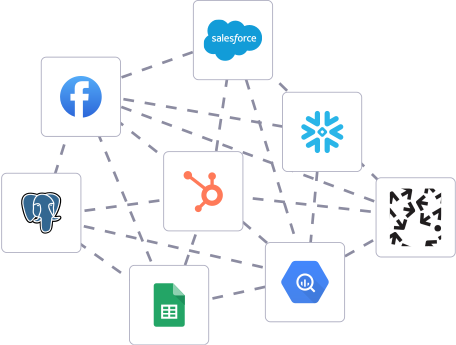
- Inconsistent and inaccurate data
- Laborious and expensive
- Brittle and inflexible
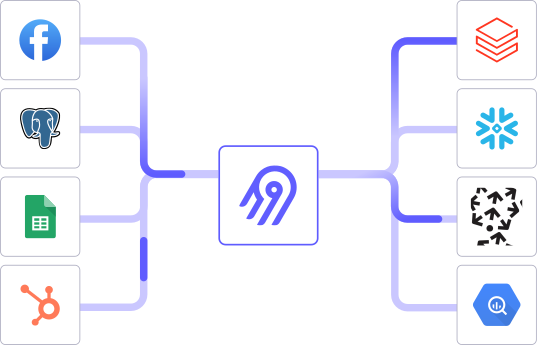
- Reliable and accurate
- Extensible and scalable for all your needs
- Deployed and governed your way
Start syncing with Airbyte in 3 easy steps within 10 minutes


Take a virtual tour
Demo video of Airbyte Cloud
Demo video of AI Connector Builder
Setup Complexities simplified!

Simple & Easy to use Interface
Airbyte is built to get out of your way. Our clean, modern interface walks you through setup, so you can go from zero to sync in minutes—without deep technical expertise.

Guided Tour: Assisting you in building connections
Whether you’re setting up your first connection or managing complex syncs, Airbyte’s UI and documentation help you move with confidence. No guesswork. Just clarity.

Airbyte AI Assistant that will act as your sidekick in building your data pipelines in Minutes
Airbyte’s built-in assistant helps you choose sources, set destinations, and configure syncs quickly. It’s like having a data engineer on call—without the overhead.
What sets Airbyte Apart
Modern GenAI Workflows
Move Large Volumes, Fast
An Extensible Open-Source Standard
Full Control & Security
Fully Featured & Integrated
Enterprise Support with SLAs
What our users say

Andre Exner

"For TUI Musement, Airbyte cut development time in half and enabled dynamic customer experiences."

Chase Zieman

“Airbyte helped us accelerate our progress by years, compared to our competitors. We don’t need to worry about connectors and focus on creating value for our users instead of building infrastructure. That’s priceless. The time and energy saved allows us to disrupt and grow faster.”

Rupak Patel

"With Airbyte, we could just push a few buttons, allow API access, and bring all the data into Google BigQuery. By blending all the different marketing data sources, we can gain valuable insights."
Start by exporting the data you need from lemlist. Log in to your lemlist account and navigate to the campaigns or contacts section. Use the export feature to download the data as a CSV file. Ensure that the exported data includes all necessary fields you will need in the Oracle database.
Before importing data, ensure that your Oracle database is prepared to receive it. This involves creating the necessary tables or updating existing ones to match the structure of the data from lemlist. Use SQL commands in your Oracle SQL environment to define table schemas, data types, and any constraints.
With the data exported from lemlist, open the CSV file in a spreadsheet application or a text editor. Inspect the data for any inconsistencies or errors, such as missing values or incorrect formats. Make any necessary transformations to match the schema of your Oracle database, such as converting date formats or adjusting text fields.
SQL*Loader is a tool provided by Oracle for high-performance data loading. If not already installed, download and install SQL*Loader on your machine. This tool will be used to load the cleaned and transformed CSV data into your Oracle database.
Create a control file, which is a text file needed by SQL*Loader to describe how to load the data. This file should include details such as the data file location, table name, and field mappings. Save this control file with a `.ctl` extension. Ensure that it specifies the necessary data transformations and mappings accurately.
Use SQL*Loader to load the data from the CSV file into the Oracle database. Execute the SQL*Loader command from the command line, specifying the control file and any other necessary parameters. Monitor the process for errors and ensure that all data is loaded successfully.
Once the data is loaded, perform checks to verify data integrity within the Oracle database. Run SQL queries to confirm that all records have been imported correctly and that there are no discrepancies. Check for any missing data or errors in the field mappings. Make any necessary adjustments or corrections.
By following these steps, you can efficiently transfer data from lemlist to an Oracle database without relying on third-party connectors or integrations.
FAQs
What is ETL?

ETL, an acronym for Extract, Transform, Load, is a vital data integration process. It involves extracting data from diverse sources, transforming it into a usable format, and loading it into a database, data warehouse or data lake. This process enables meaningful data analysis, enhancing business intelligence.
Lemlist is a powerful email outreach and sales engagement platform designed to help sales teams efficiently connect with prospects and customers. It offers a range of features to streamline cold email campaigns, including automated email sequencing, personalized mail merge, real-time email tracking, and advanced analytics. With Lemlist, sales professionals can create highly targeted and personalized email campaigns, track engagement metrics like open rates and click-throughs, and automatically follow up with interested prospects. Lemlist integrates with popular CRM and productivity tools, enabling seamless workflow and data synchronization.
Lemlist's API provides access to a wide range of data related to email marketing campaigns. The following are the categories of data that can be accessed through the API:
1. Campaign data: This includes information about the email campaigns such as the subject line, sender name, and email content.
2. Contact data: This includes information about the recipients of the email campaigns such as their email address, name, and other contact details.
3. Engagement data: This includes information about how the recipients are engaging with the email campaigns such as open rates, click-through rates, and bounce rates.
4. List data: This includes information about the email lists such as the number of subscribers, segmentation, and other list-related data.
5. Automation data: This includes information about the automated email sequences such as the triggers, actions, and conditions.
6. Analytics data: This includes information about the overall performance of the email campaigns such as the conversion rates, revenue generated, and other key metrics.
Overall, Lemlist's API provides access to a comprehensive set of data that can be used to optimize email marketing campaigns and improve their effectiveness.
What is ELT?
ELT, standing for Extract, Load, Transform, is a modern take on the traditional ETL data integration process. In ELT, data is first extracted from various sources, loaded directly into a data warehouse, and then transformed. This approach enhances data processing speed, analytical flexibility and autonomy.
Difference between ETL and ELT?
ETL and ELT are critical data integration strategies with key differences. ETL (Extract, Transform, Load) transforms data before loading, ideal for structured data. In contrast, ELT (Extract, Load, Transform) loads data before transformation, perfect for processing large, diverse data sets in modern data warehouses. ELT is becoming the new standard as it offers a lot more flexibility and autonomy to data analysts.
What should you do next?
Hope you enjoyed the reading. Here are the 3 ways we can help you in your data journey:


